Stape Data Tag custom field not carrying into Shopify purchase event

I’m working on a Shopify setup using Stape’s Shopify event tracking plugin, client-side GTM and server-side GTM hosted via Stape.

The setup is generally working correctly. Data Tags are sending ecommerce events to the server container, and Meta CAPI deduplication is already in place.

I’ve added a custom event data field called marketing_channel to the Stape Data Tags. The channel value is detected client-side, stored in a first-party cookie called marketing_channel, then read back using a GTM Custom JavaScript variable and passed into the Stape Data Tags. Values are things like organic_google, meta, awin, attentive_email, etc.

For normal storefront events, this works as expected.

For example, add_to_cart, page_view etc sends:

marketing_channel = organic_google

and I can see this received correctly in the server container.

The issue is with the purchase event.

I can’t see anything client side presumably because of the pixel sandbox issues we have with Shopify these days.

The purchase event is received server-side, and other event data is present, including customer/order fields, but marketing_channel comes through as undefined.

The purchase Data Tag has “Add Common Cookie” enabled.

I also changed the marketing_channel row in the Data Tags from “Store: None” to “Store: Everywhere” across the relevant Data Tags, but the purchase event still receives marketing_channel as undefined.

So the issue appears to be that the custom field is available and sent for normal storefront events, but it is not being carried into the Shopify purchase/checkout event context.

Does anyone lknow the correct way to persist and pass a custom field such as marketing_channel from a cookie into the Shopify purchase event?

Specifically:

  • Should custom Data Tag fields stored as Everywhere be included in the Common Cookie payload?

  • Does “Add Common Cookie” only include specific Stape/common cookies rather than custom fields?

  • Is there a recommended way to add a custom cookie or custom event field so it is available on the purchase event?
Hi,
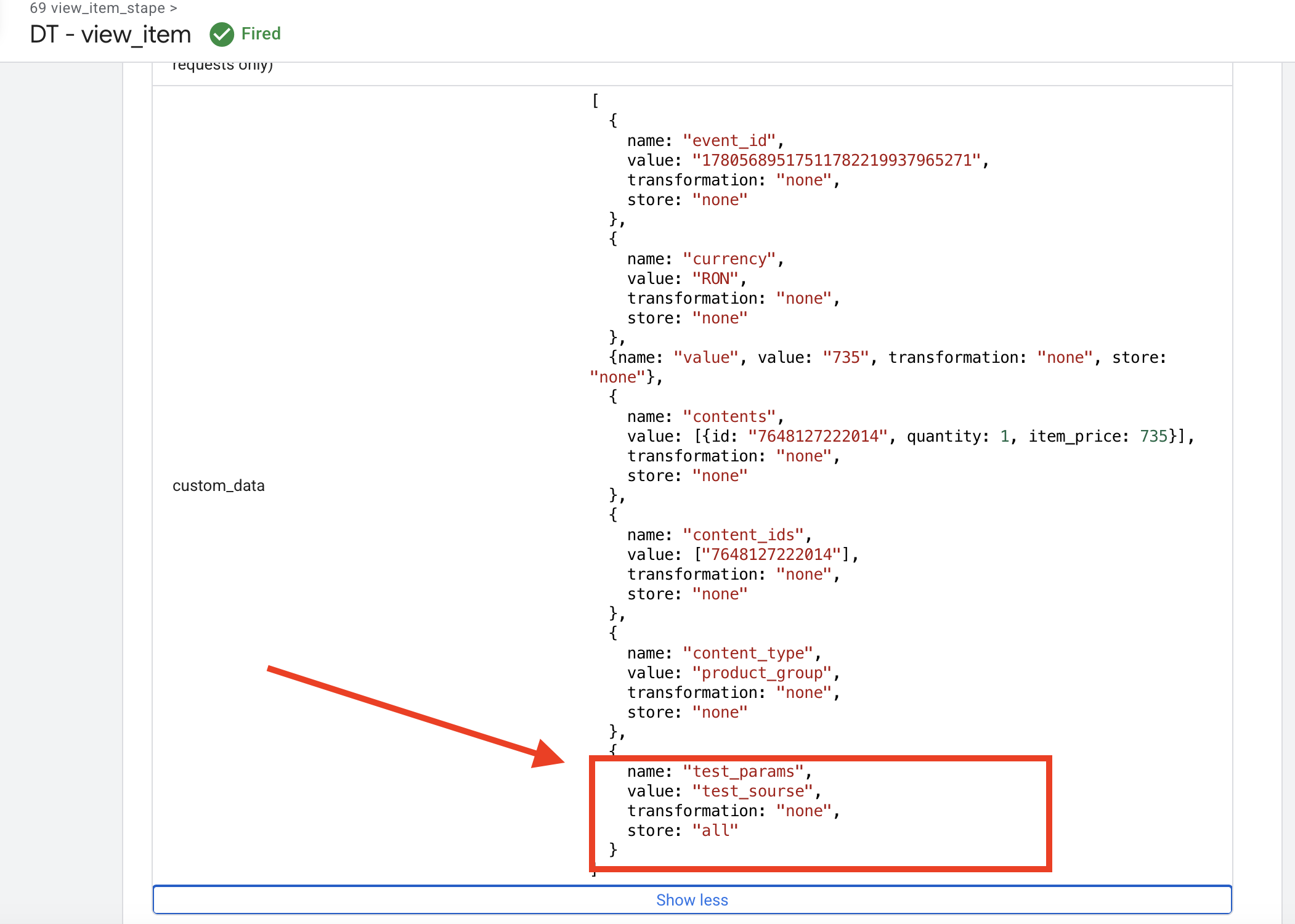
You need to do the following: on the page_viewor view_item event (or any other event that occurs before the events running in the Sandbox), set the parameter you need to Everywhere, as you have already done.

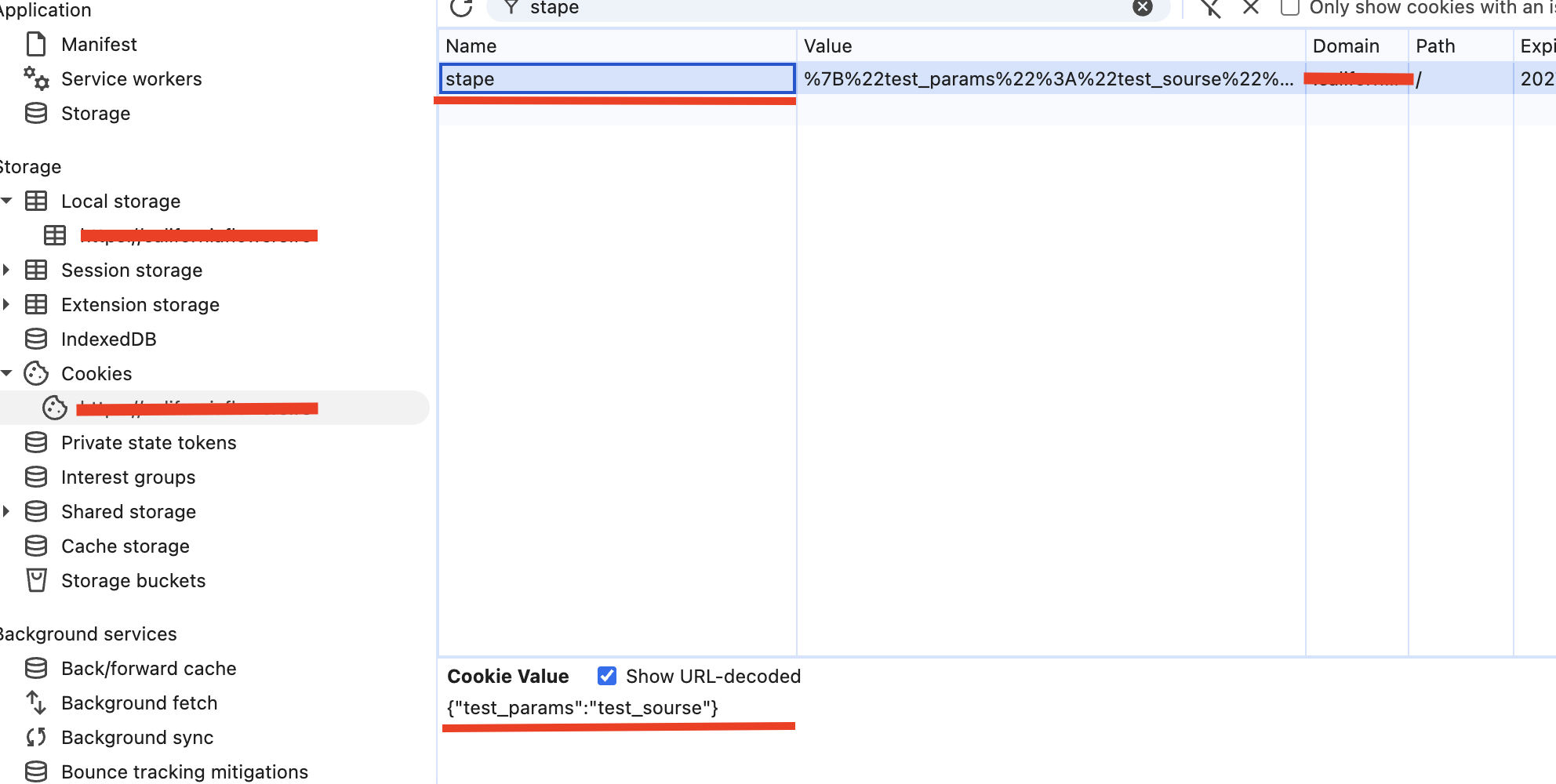
Once this is configured, the Data Tag will create a cookie named stape on your domain, which will store the parameter you specified.

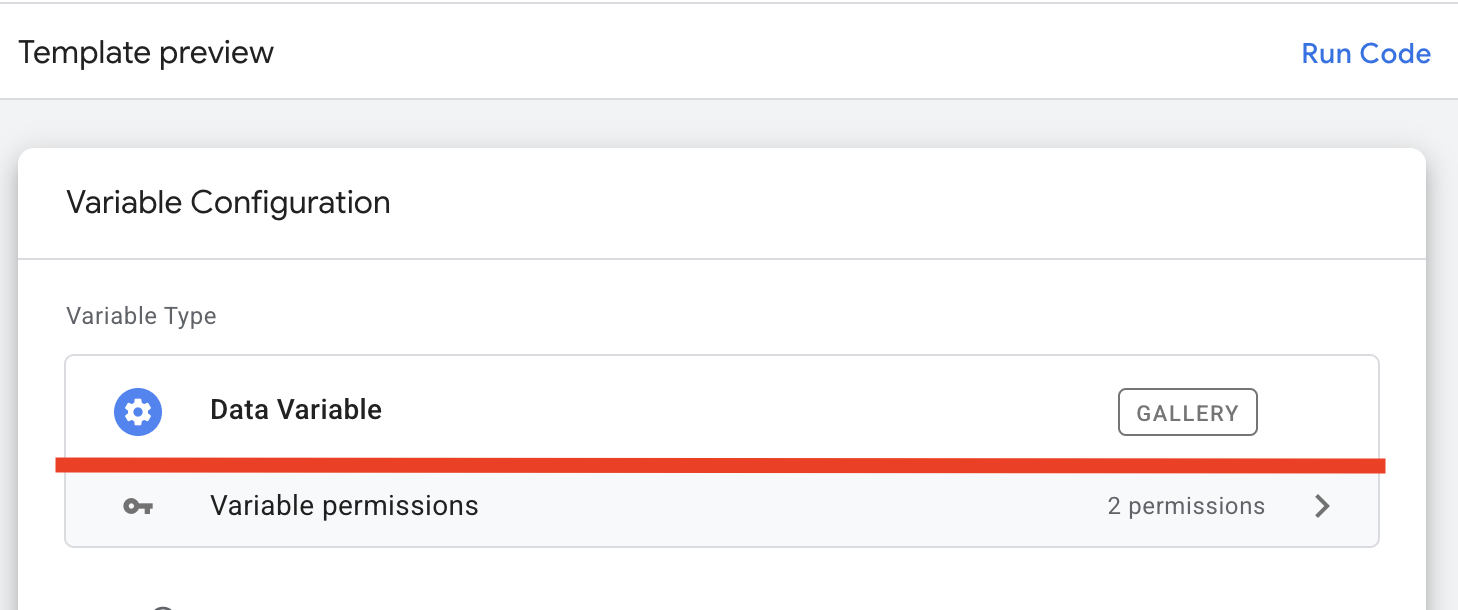
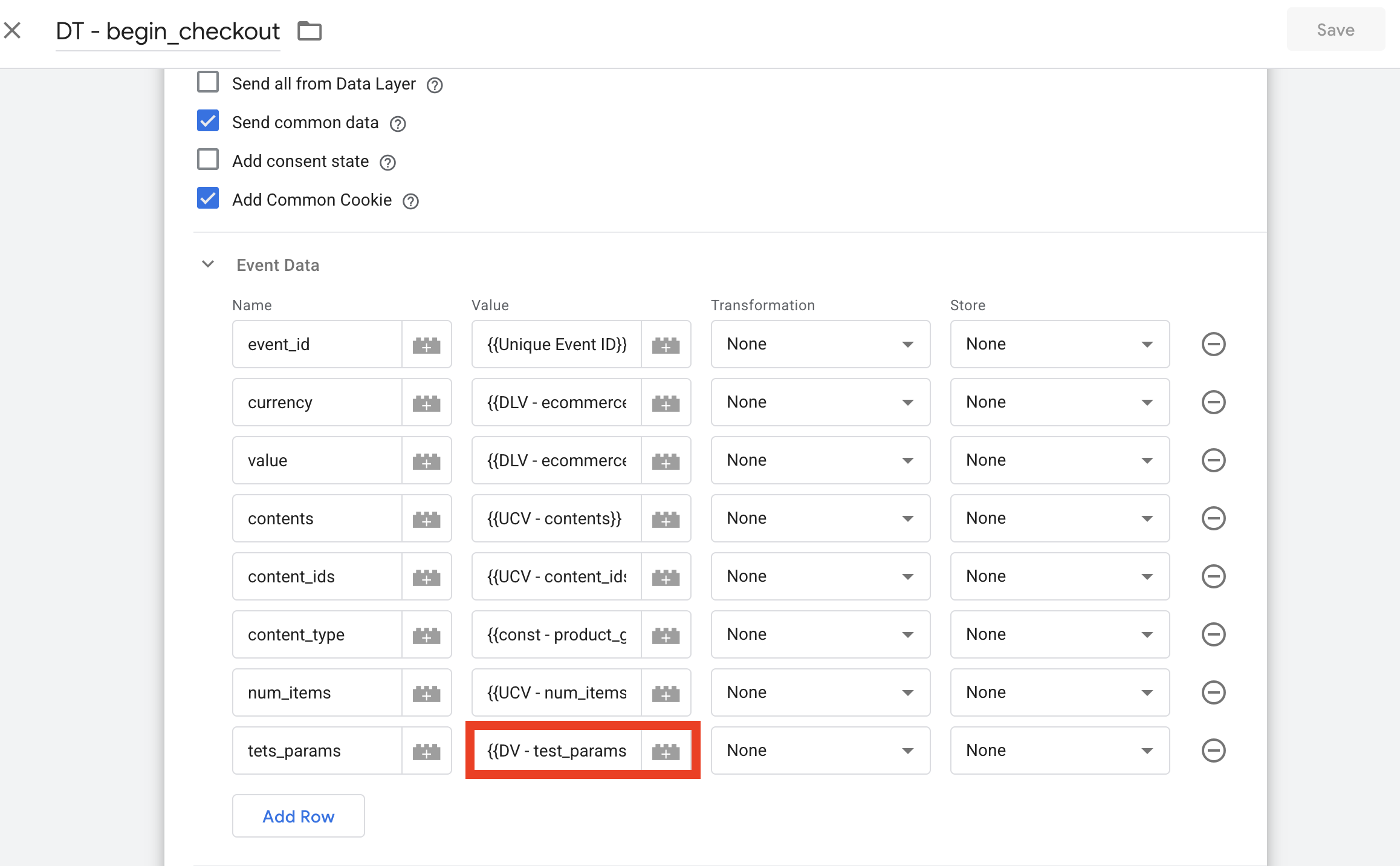
Then, for events that occur in the Sandbox—for example, begin_checkout (which corresponds to the purchase event in your setup)—you can retrieve the required parameter using the Data Variable from Stape, available in the GTM Gallery. You can then either send this parameter to the server or use it in a web tag.

Just make sure you are using the Data Variable that reads the previously stored value from the stape cookie.

If I understand correctly, based on your description, the issue is that you are unable to retrieve this cookie. Using the method I described above, this can be done easily.

If I have misunderstood and the issue is something else, please clarify.

Hi @Roman_Kaliniichuk

Thanks for this - all makes sense, I feel like it should be working, and it looks like it is till I land back on the checkout / purchase confirmation page.

Rather than screengrabs, I’ve done a video as it’s easier to demonstrate what is going on that way

See what you think and if I’m missing something obvious

Thanks

Dave

Hi Dave,
You’re doing everything correctly, and it should work.

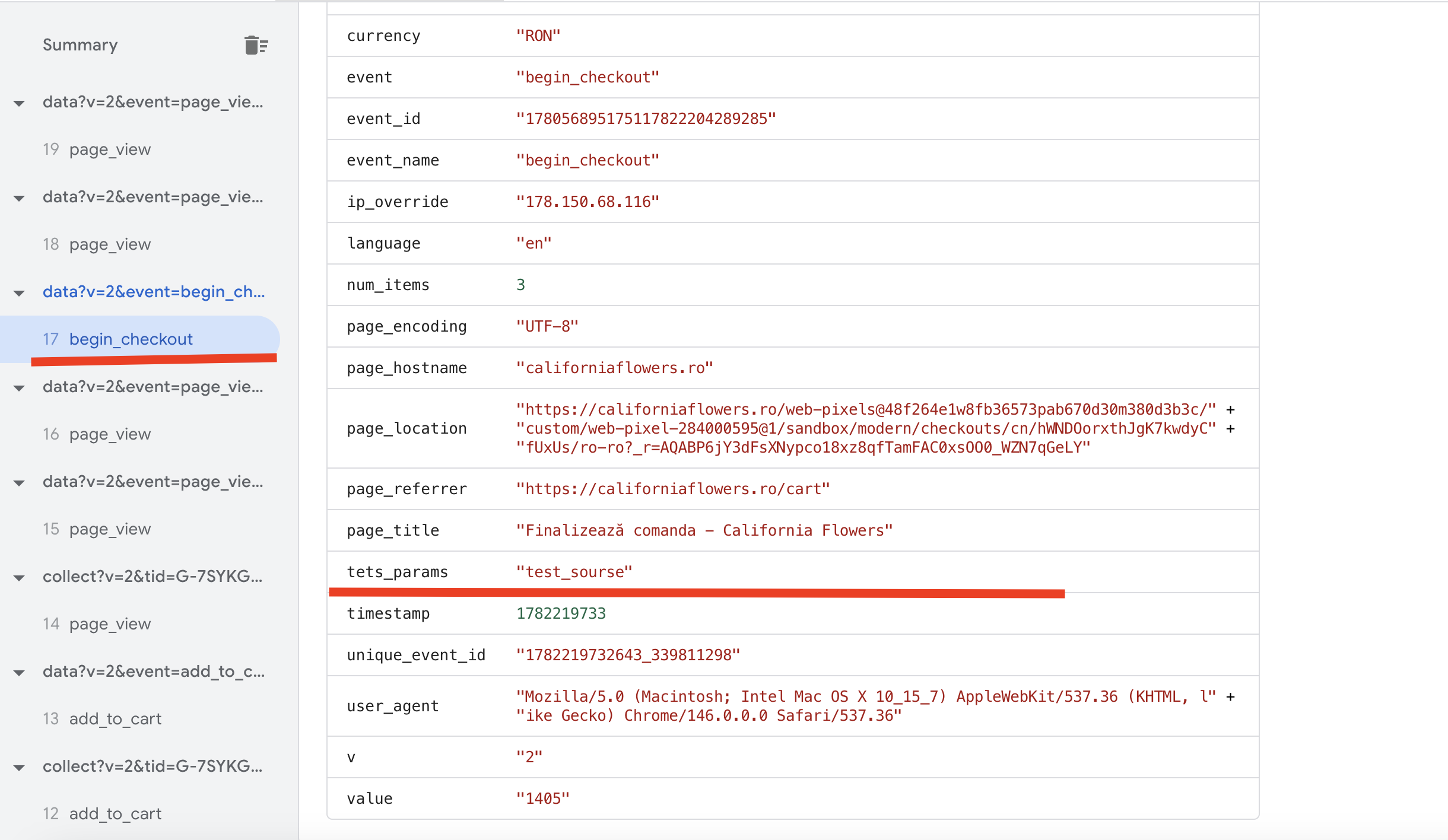
The reason you don’t see the variable in the Purchase event within the server-side preview is that you haven’t published the WEB GTM container yet. Changes made in the Sandbox only take effect after all changes have been published.

Hi @organicdigital. I noticed that you’re having trouble with the Preview Mode in the Shopify Checkout, this is a know limitation imposed by it. As Roman mentioned, any change you make in the GTM workspace can only be visible in Checkout after you publish them.

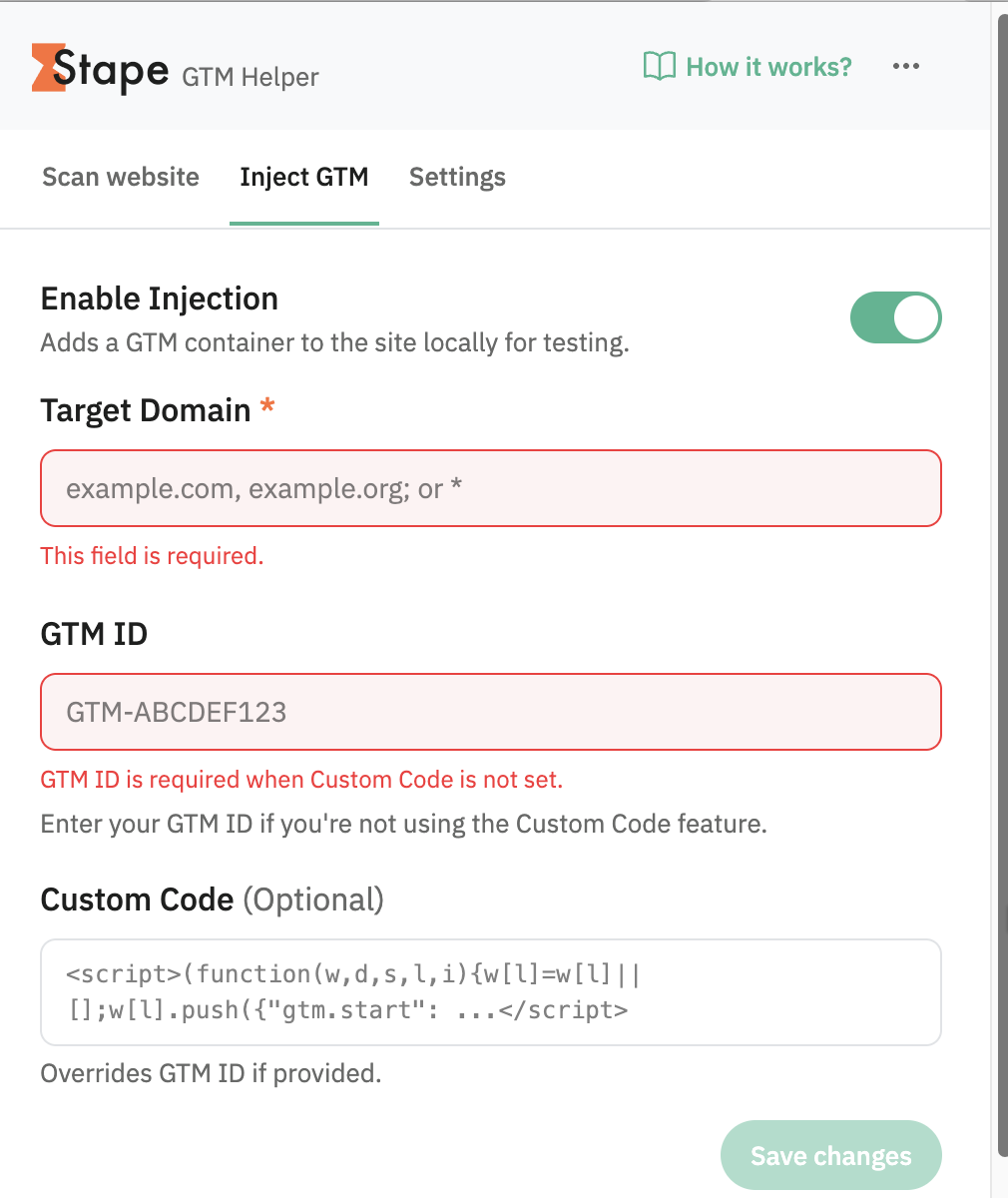
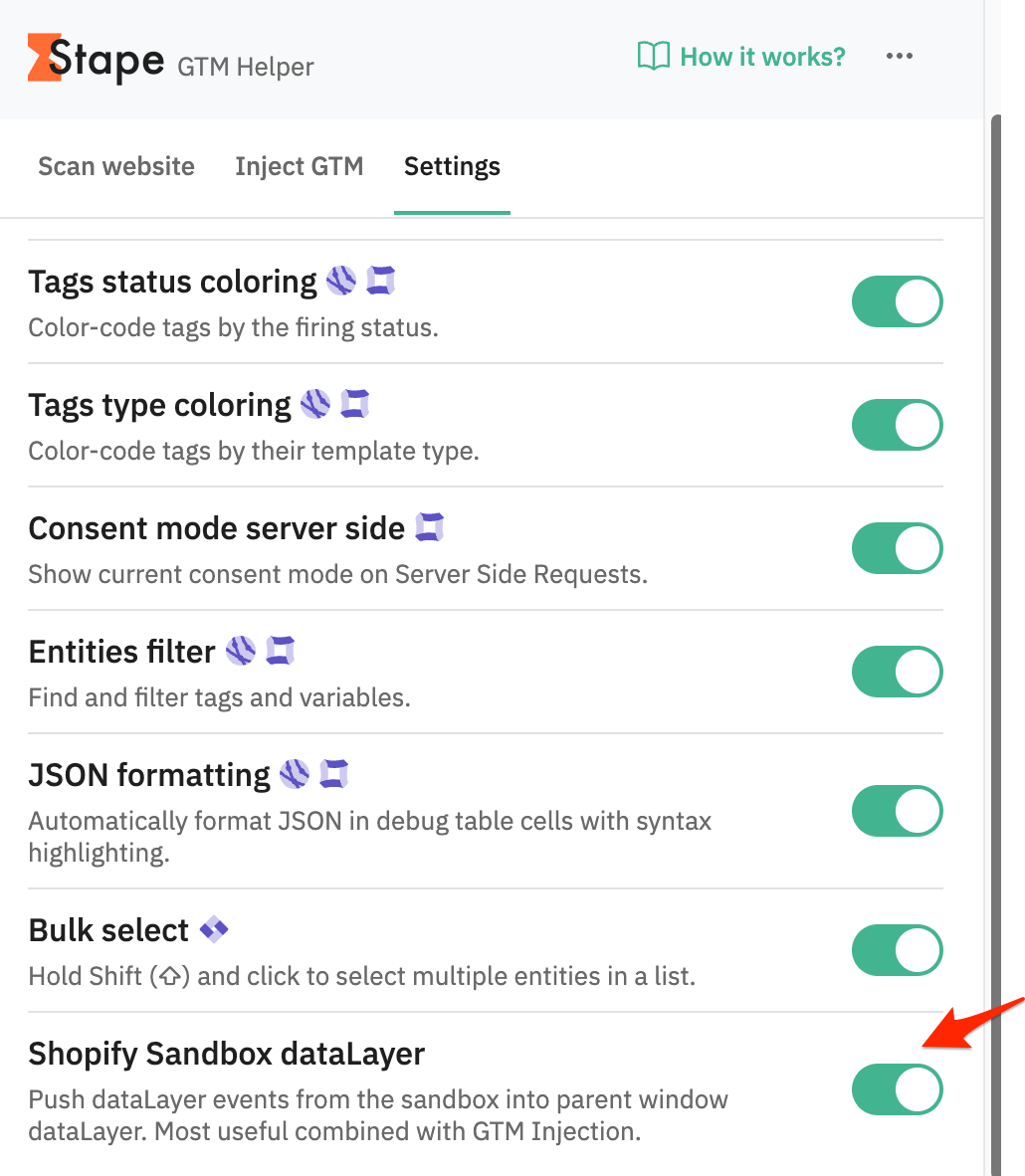
Use our GTM Helper extension so that you can debug the container in Preview Mode, even when in Shopify Checkout.

  1. Configure your GTM Container under Inject GTM tab

  2. Enable the Shopify Sandbox dataLayer option under Settings tab

After that, you’ll be able to see the events in Preview Mode.

Hi @Roman_Kaliniichuk @giovaniortolani

Thank you both so much for your help with this

It’s working as expected now, brilliant

makes sense that you would not see the data in preview mode if it wasn’t published

and whilst I do have the Stape extension installed I wasn’t aware you could inject it into the sandbox checkout page

So thanks again

Much appreciated

Dave