Hello Stape Team,
I hope you are doing well. I have set up web and server-side tagging for one Shopify store by following everything in the Stape blog. I have also installed the Stape GTM Helper extension in Chrome.
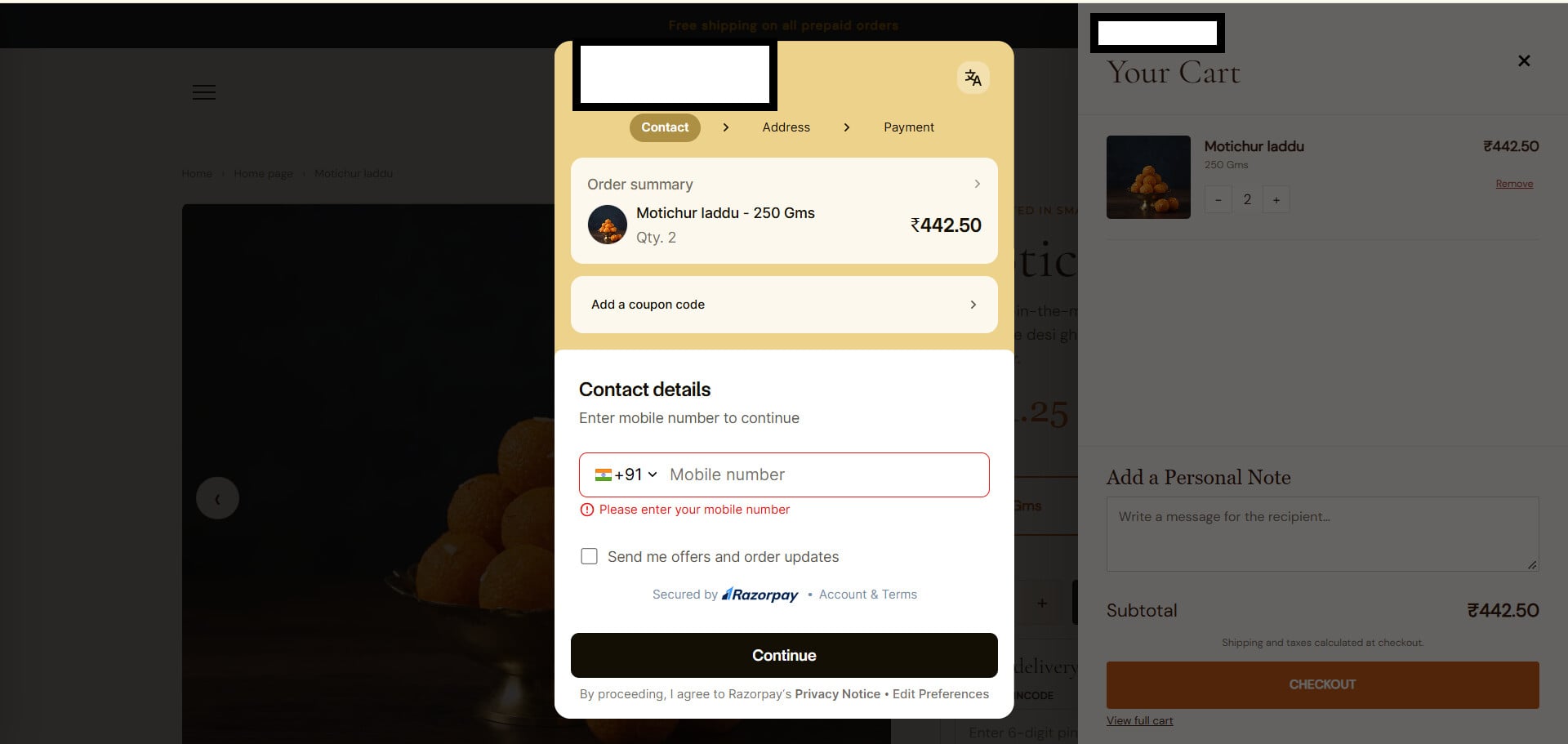
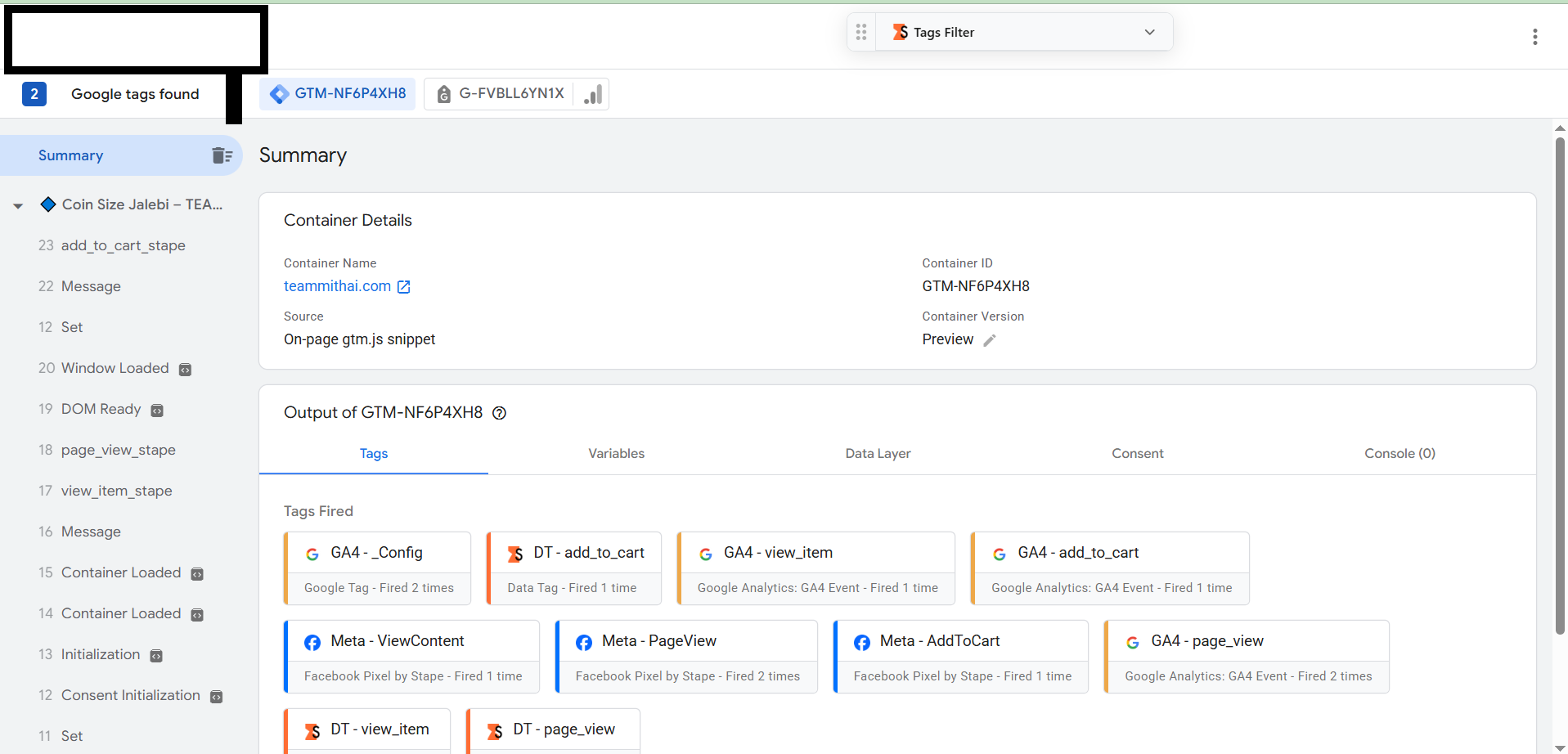
However, when I preview both containers, I can see the add_to_cart event, but no events after that. I am using a Razorpay payment gateway, and when a user clicks “Checkout,” a payment pop-up appears. However, after the payment pop-up, no events are triggered. The begin_checkout and purchase events are not being tracked on either the web or server side.
Because I am from India, many Shopify users use this kind of payment gateway. So, if every payment gateway blocks these kinds of events, how are we going to control this?
For your reference, I have attached a screenshot so you can understand the issue better.
Payment gateway: Razorpay Checkout
How can we overcome this type of payment gateway setup? Any guidance would be helpful.
Waiting for a positive response.
Thank you