Hey
I’m on Shopify Grow, so checkout and the thank-you page are sandboxed. I use the Stape custom pixel, server-side GTM , one web GTM loaded by a custom loader on checkout, and GA4 via the Google Tag. A direct hit to the custom domain returns 400, which is expected.
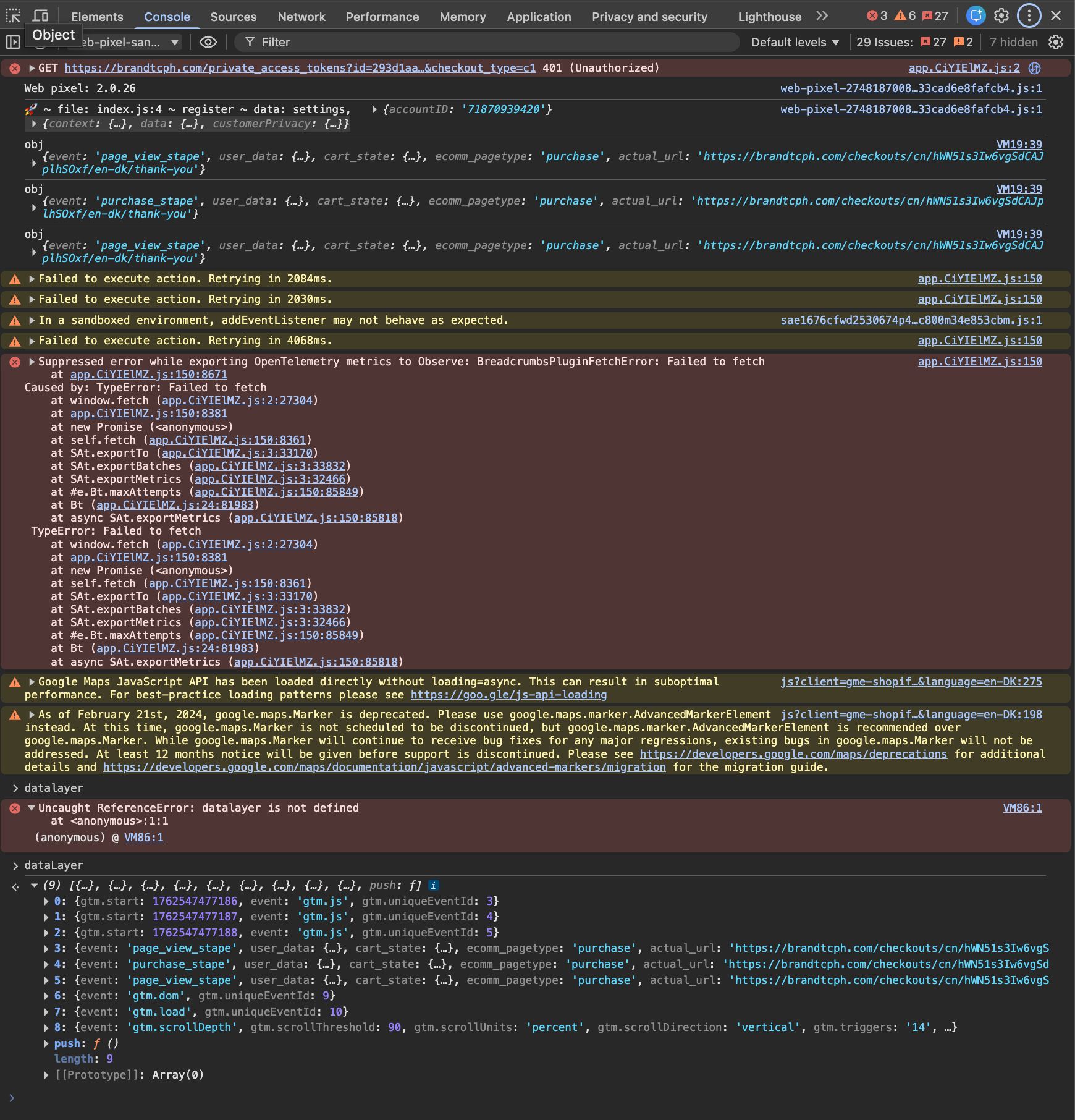
The issue: I can see checkout_completed / purchase in the Shopify pixel dataLayer, but on the thank-you page there’s no request to sst.brandtcph. As a result, nothing appears in Stape logs and nothing shows in GA4 Realtime. Other events work fine and reach both Stape and GA4.
I’ve already contacted Stape support. They couldn’t resolve it and said they can’t help further without the Stape Care service.
I’m looking for help to solve this. If you’ve run into the same situation on Grow, what fixed it for you?
I provide screenshots: expected 400 on the custom domain, GTM loaded via custom loader on checkout, pixel dataLayer showing purchase, network tab on the thank-you page with no purchase call , and GA4 Realtime with purchase missing.
This way it’s not possible to provide any concrete solution. If you could create a loom video then It would be ideal to understand the issue.
Check if your server url is properly setup and you’ve placed correct server_container_url in the GA4 tag in web GTM.
@Lg424 have you tried filtering network not by your subdomain, but by /collect ? It looks like one possible reason is your purchase event fires before Config therefore it would be dispatched to GA4 directly, ommiting the server container (and therefore logs and ga4 preview).
I guess an even easier question to validate this: do you have purchases in ga4? not preview or anything, but just purchase event in principle, do those surface in your property with this setup?
try the following: add server_container_url explicitly into your purchase GA4 tag on the web. Publish. Then run your tests (like on the video) again - don’t need all the previews, network tab of the browser should be sufficient.
If you end up seeing the event - I guessed well, if not, well we’ll have that much more info to proceed with
add your server url with parameter server_container_url in your GA4 config tag as a configuration parameter. It’s also good practice to add server_container_url in your purchase event tag as an event parameter.
Not sure if you fixed this already and I know it’s been several months, but do you have the “append stape” box checked in your Stape app on Shopify? If so, I solved for a similar issue by changing the triggers in GTM to listen for “purchase_stape” but keeping the event named “purchase” - GA4 doesn’t allow you to change the purchase event name. Hope that helps.