I’m implementing Shopify webhook purchase tracking and am trying to use the Shopify app_id to identify the Sales Channel (Online Store, Shop, TikTok, Draft Orders, Subscriptions, etc.).
My goal is to enrich the GA4 Purchase event with a shopify_sales_channel parameter (and potentially filter which purchases are sent to advertising platforms). This would also help distinguish purchases that currently end up as Unassigned in GA4 because they originate outside the Online Store (e.g. subscriptions, Shop, TikTok, Draft Orders).
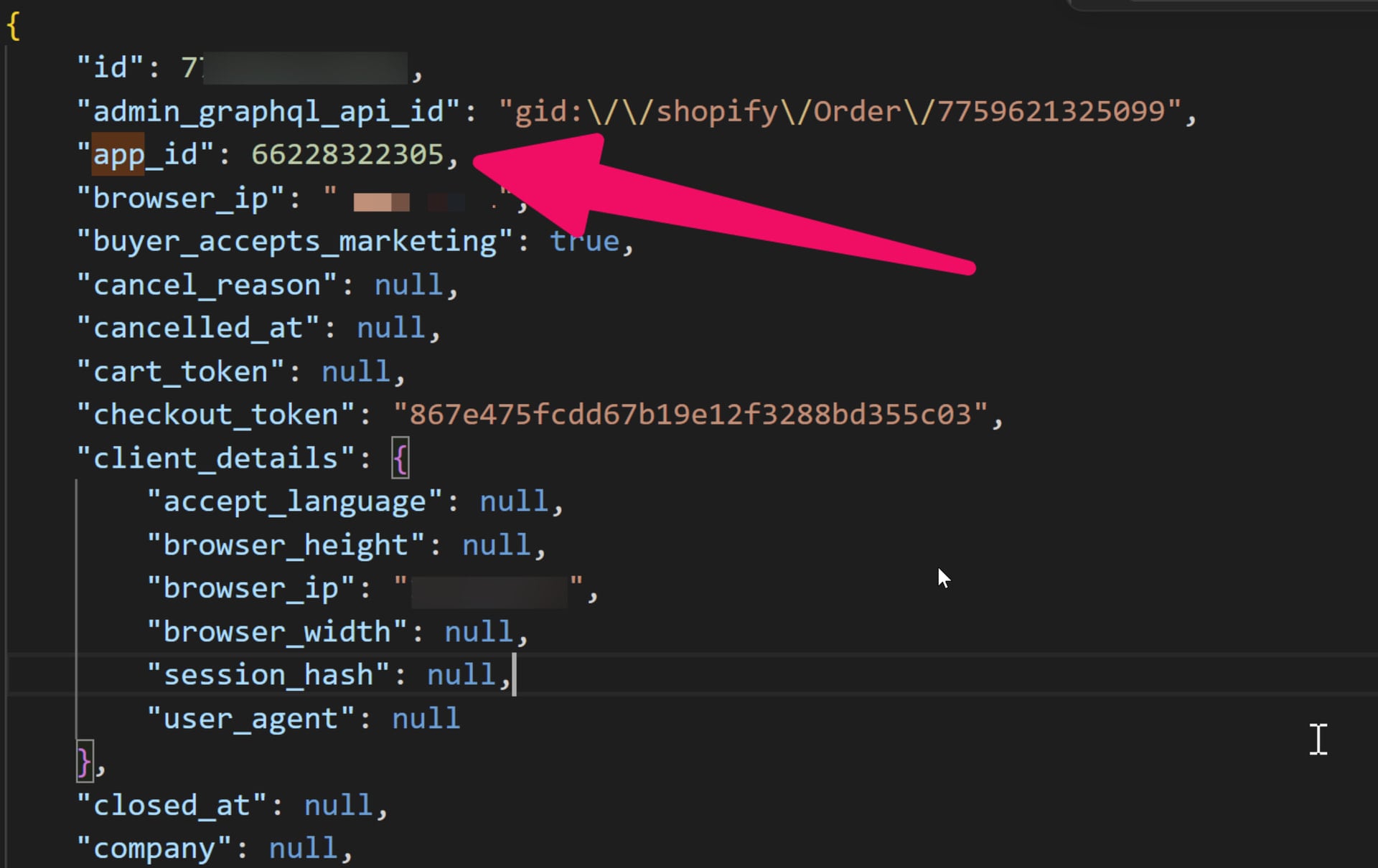
In the standard Shopify orders/create webhook, app_id is included in the payload. For example:
However, I’m using the Stape Data Client to claim Shopify webhooks, and it appears that the payload exposed by the client is heavily trimmed and doesn’t include app_id.
Does anyone know if there’s a way to access the original app_id within the Stape Data Client, or is creating a custom client currently the only option?
It seems to me that you’re relying on the webhooks sent by the Stape Conversion Tracking app, rather than native Shopify webhooks or webhooks from Flow.
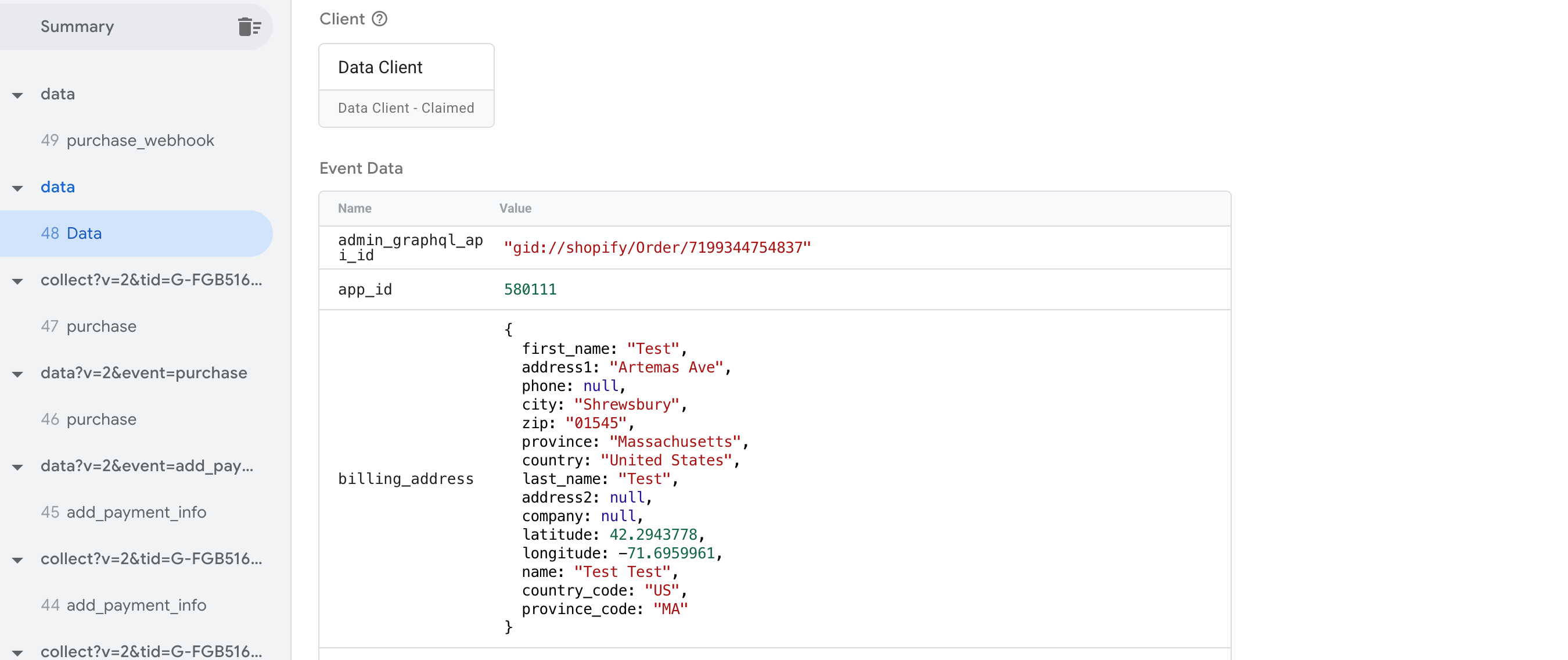
Data Client does not trim the payload of webhooks, and the app_id is available in the event data when a native Shopify webhook is received by Data Client.
Thanks @Dmytro ! I’ll try that! For now I configured a mapping that’s based on the source_name parameter in the Stape app webhook (trimmed version of the native shopify webhook payload)
you can extract the aap id directly from the webhook payload in the server side GTM by creating an event data variable with the key path app id for more detail see here https://lescobillcheck.pk
The standard Stape Data Client for Shopify intentionally filters and parses incoming webhook bodies down to standard common e-commerce properties, which is why top-level parameters like app_id get dropped before reaching event data.
A couple of ways to tackle this without completely rewriting everything:
Check Request Body via Custom Variable: If the Stape client is saving the raw request payload anywhere in the event data (check preview mode under x-ga-mp1-ev or raw payload fields), you can extract it via a custom template variable or regex table.
Custom Client / Webhook Proxy: If the client completely discards non-standard keys before generating event data, creating a lightweight Custom Client or using a simple Cloudflare Worker/reverse proxy to capture the full Shopify JSON payload is usually the cleanest route. Much like structuring reference endpoints when verifying parameters across third-party web services, having access to unstripped incoming keys gives you full control over custom parameters like shopify_sales_channel.
Shopify Admin API Lookup: Alternatively, catch the order_id in sGTM and trigger a secondary request back to Shopify’s Orders API to fetch the full object, though this introduces added latency.
A custom client or dedicated webhook receiver will likely be your best bet here to avoid the payload trimming.

 I’ll try that! For now I configured a mapping that’s based on the source_name parameter in the Stape app webhook (trimmed version of the native shopify webhook payload)