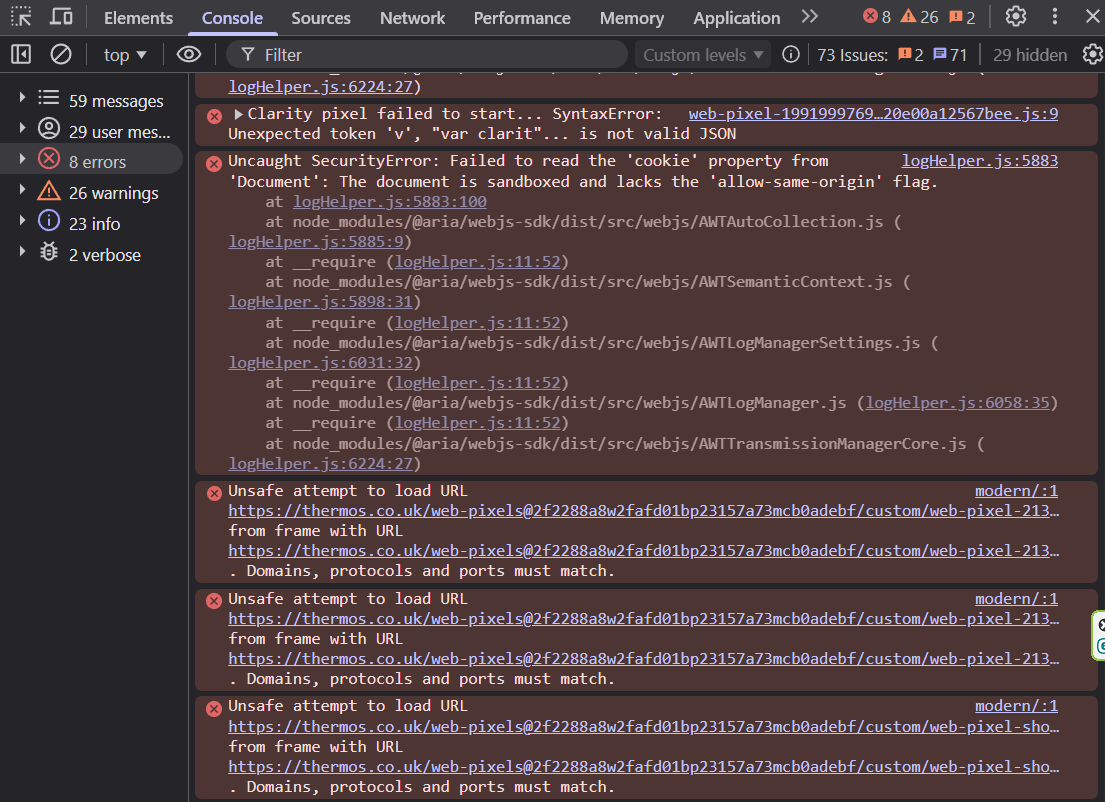
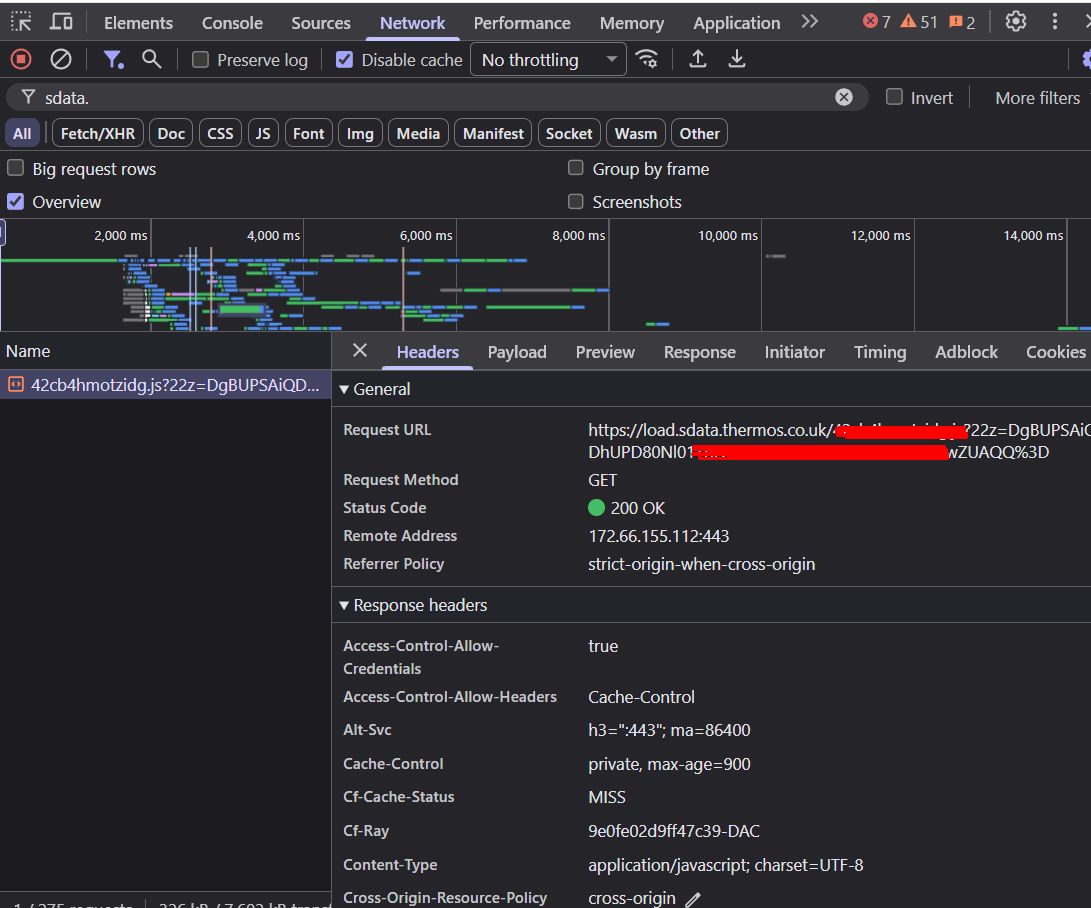
It appears that the data is not reaching the server because it is not being sent there correctly. All triggered events are currently being sent directly, and the initiator of your Custom Loader is the custom pixel. This suggests that GTM may not be initialized properly.
Additionally, your Google tag (G-tag) does not seem to be loading through GTM, which should happen automatically when using Custom Loader. It also appears that you are using another integration that may be overriding the G-tag configuration.
The current setup does not fully align with best practices. For example, the URL saver for the Page_view event should be configured within the event settings to ensure proper tracking.
Overall, there seem to be several configuration issues that are affecting the interaction between your tags and the GTM container load.
If you are not using a multi-store setup, GTM should be loaded through our Stape app to ensure that Custom Loader functions correctly.
If your Shopify store operates in a multi-store setup, Custom Loader needs to be properly initialized via theme.liquid.
At the moment, the configuration appears to be slightly misaligned with the recommended implementation guidelines. We would recommend reviewing the setup according to best practices to ensure everything works correctly.
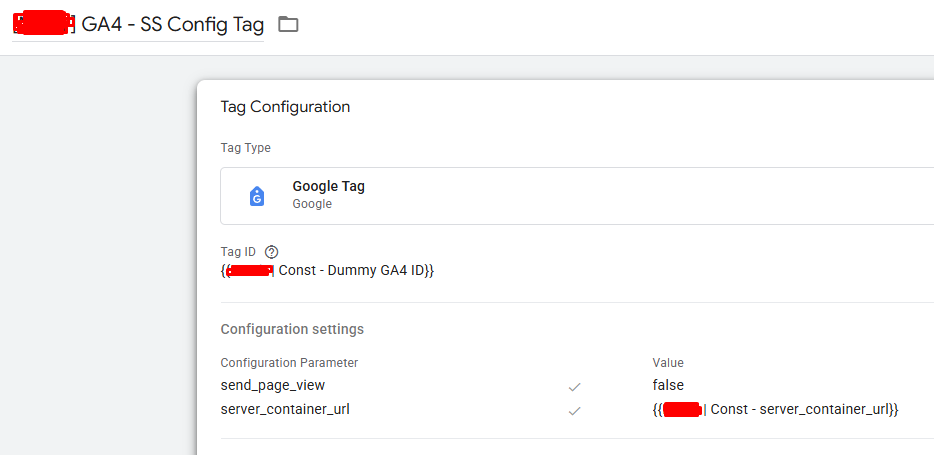
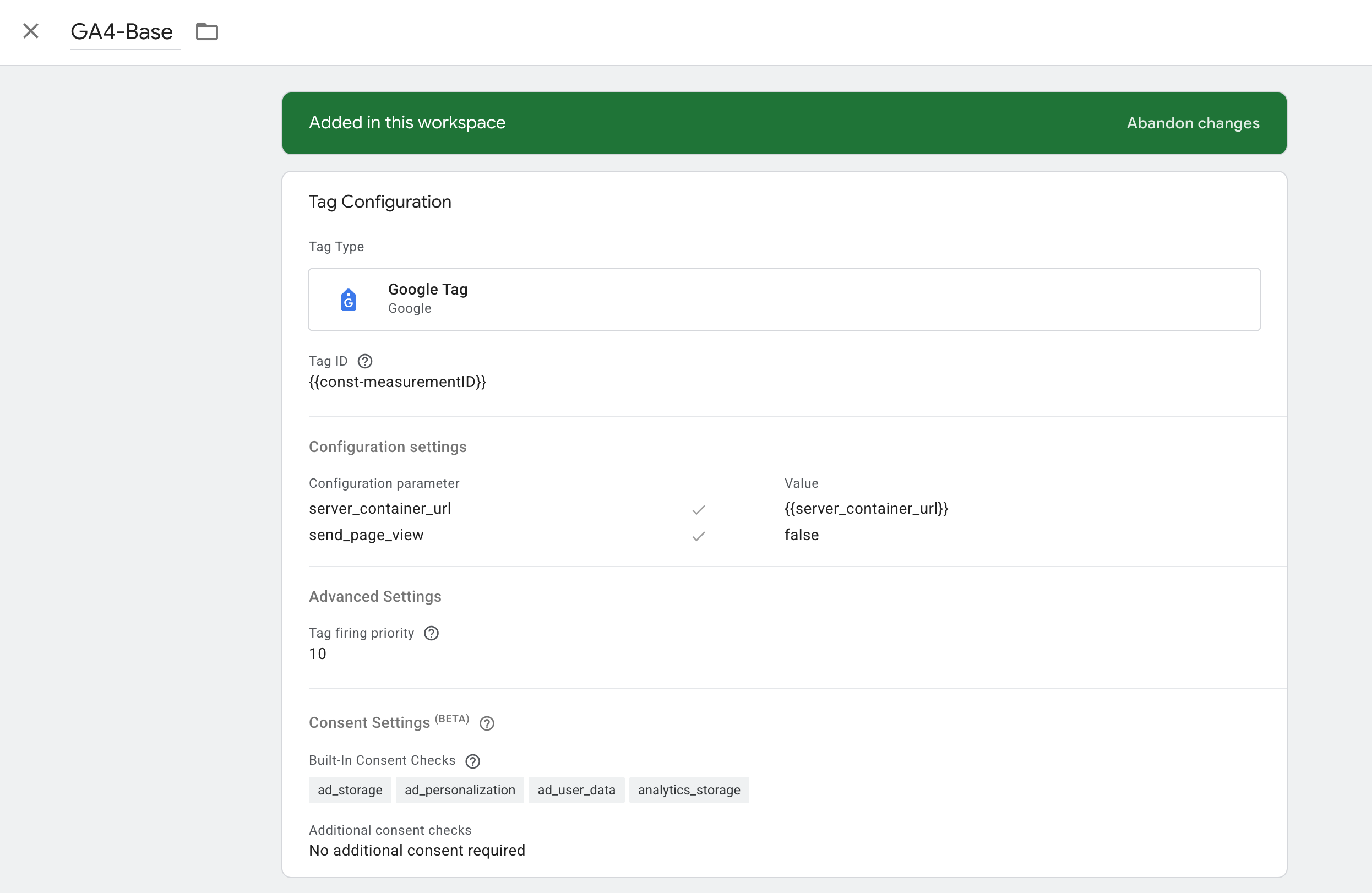
My GA4 config tag in web GTM has two configuration settings parameter:
send_page_view = false (Stape showed this in a webinar)
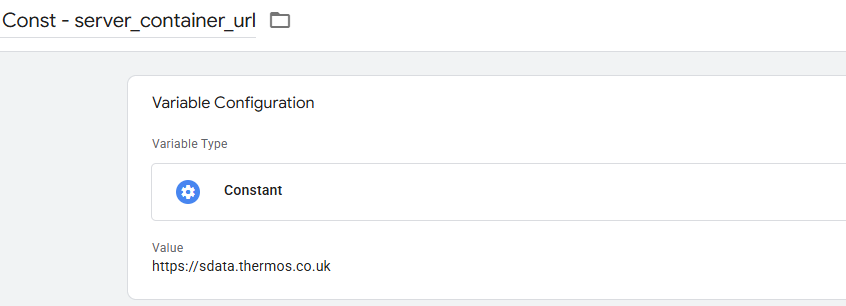
server_container_url = my server container url
GA4 config tag is tbeing riggered on Initialization all pages.
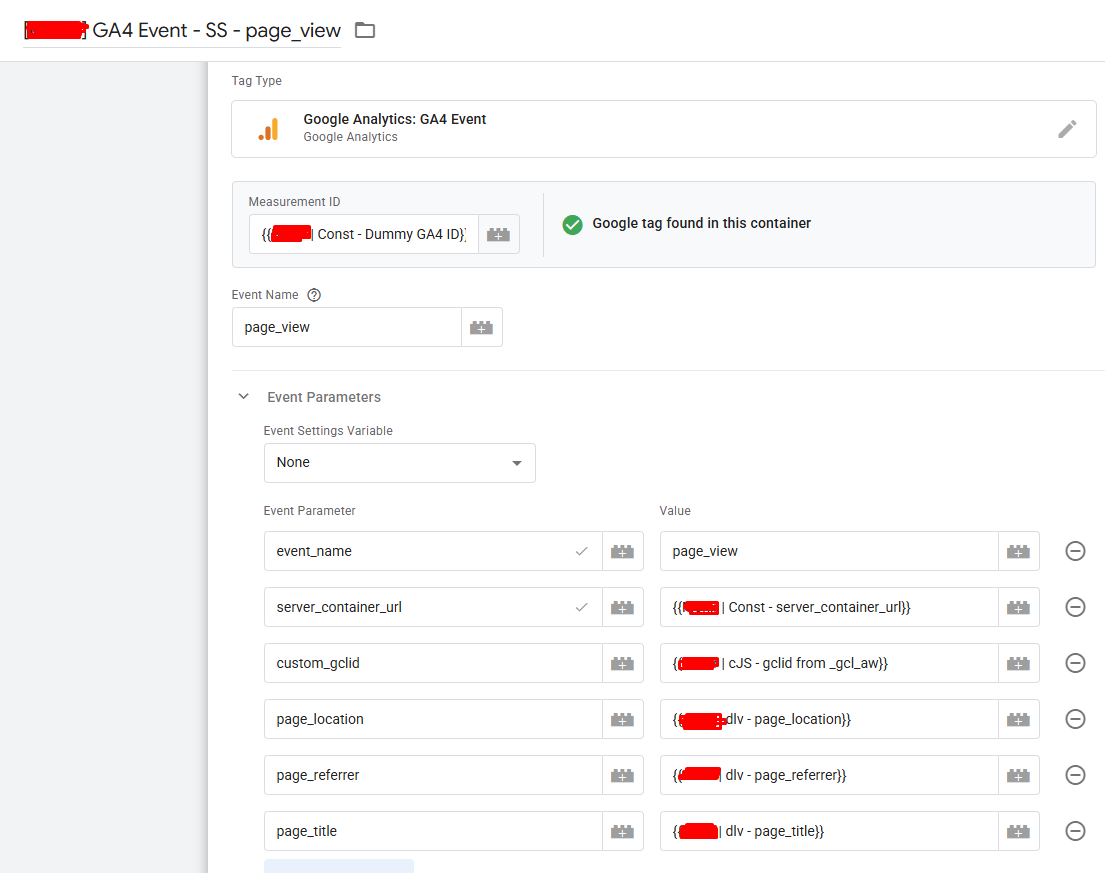
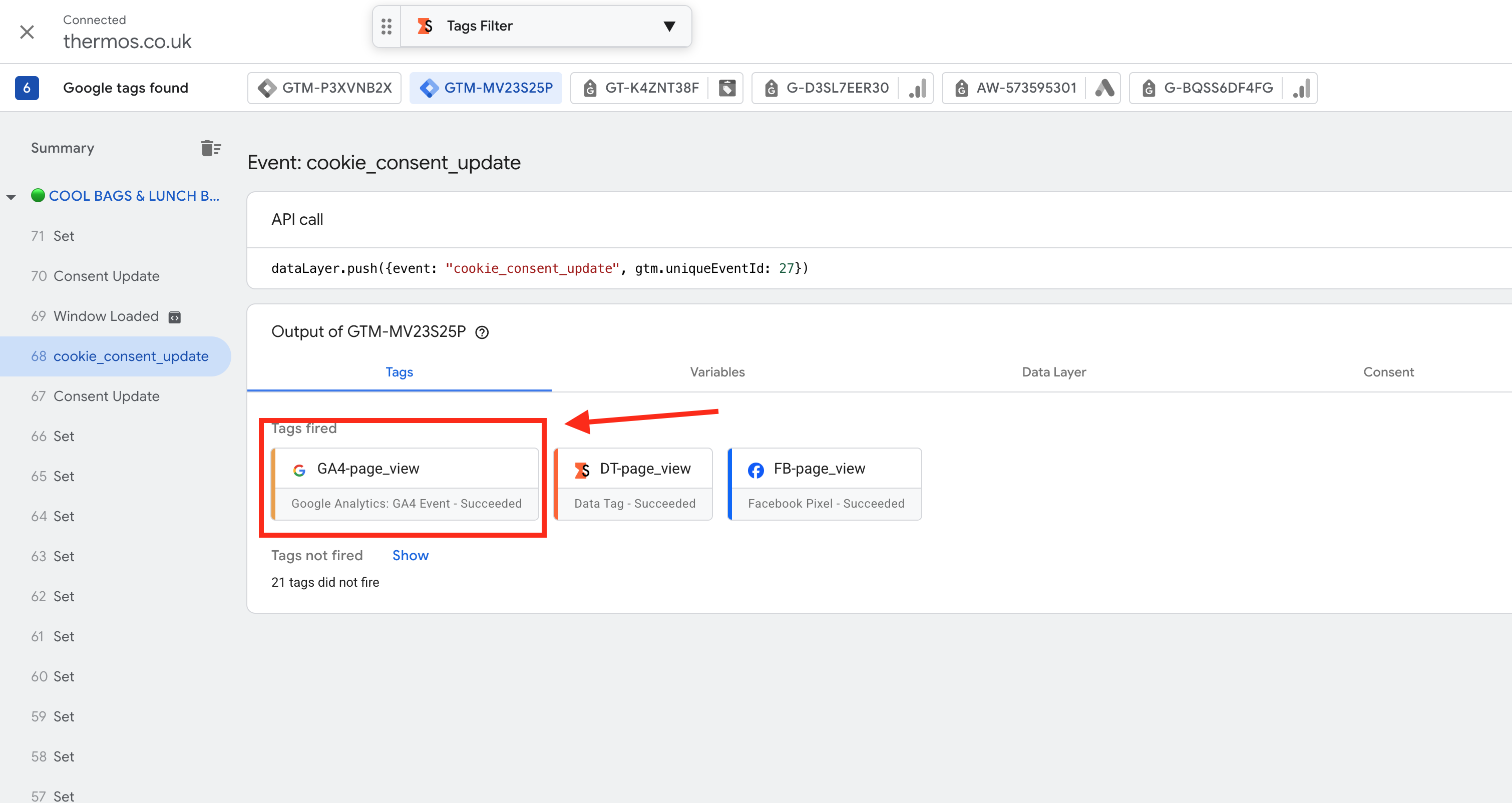
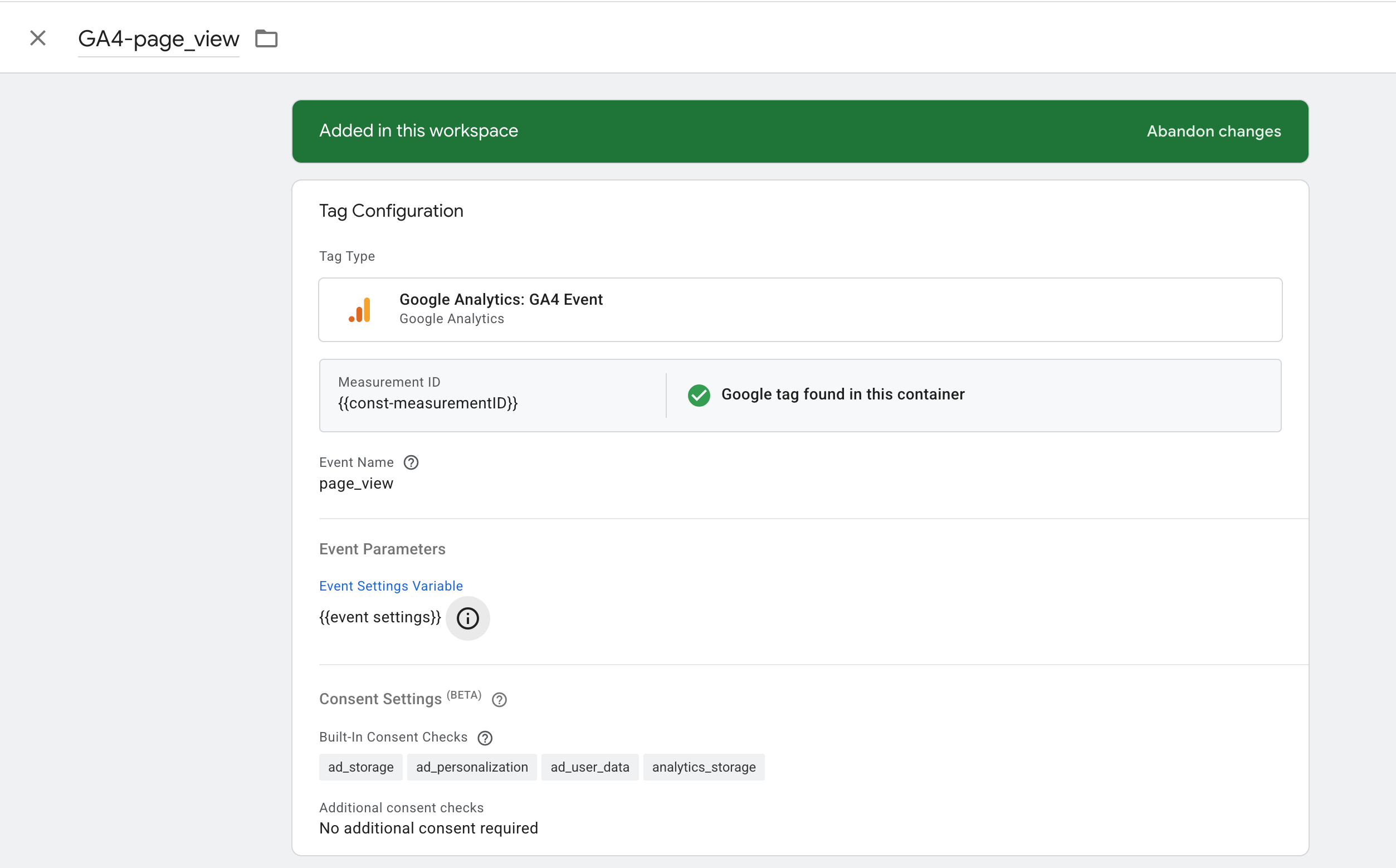
My page_view GA4 event tag in web GTM has event parameters like:
event_name = page_view
server_container_url = my server container url
page_view GA4 event tag is being triggered on ‘page_view’ datalayer event
GTM custom loader code in used in Shopify customer event pixel. I’ve also tried original GTM code. It is working and I’ve checked in the network request. So GTM is not initializing is false.
I’ve turn off Google shopping app conversion tracking but still no data being passed to server GTM.
I’ve Google Ads - AW Google Tag in the GTM and triggering on Initialization all pages. I’ve turn off Google shopping app conversion tracking. So no Google Tag is running in any other sources. Only from GTM.
My page_view event is separate from the config tag. In the config tag I’ve used server_container_url parameter in event settings but still it didn’t work. I’ve also used server_container_url parameter in my page_view event tag as event parameter but still it didn’t work.
I’ve set up Google ads SST for 6 other clients following same setup and it is working properly. No issues yet.
I’ve watched @Alex webinar multiple times and followed his best practices. It never caused any issues so far until this client website. No data is passing to sGTM whatever I do
I’ve using customer event pixel to enable datalayer and used GTM custom loader in customer pixel. Should I use Stape app?
This a agency who has Stape business plan and providing stape server to their multiple clients. I’ve set up and verified custom domain for each client in our Stape server. So far no issues. Other clients shopify Google ads SST is working smoothly but have caused problems for the first time for this client. Should I try to put GTM custom loaded in the theme head?
.
Hi,
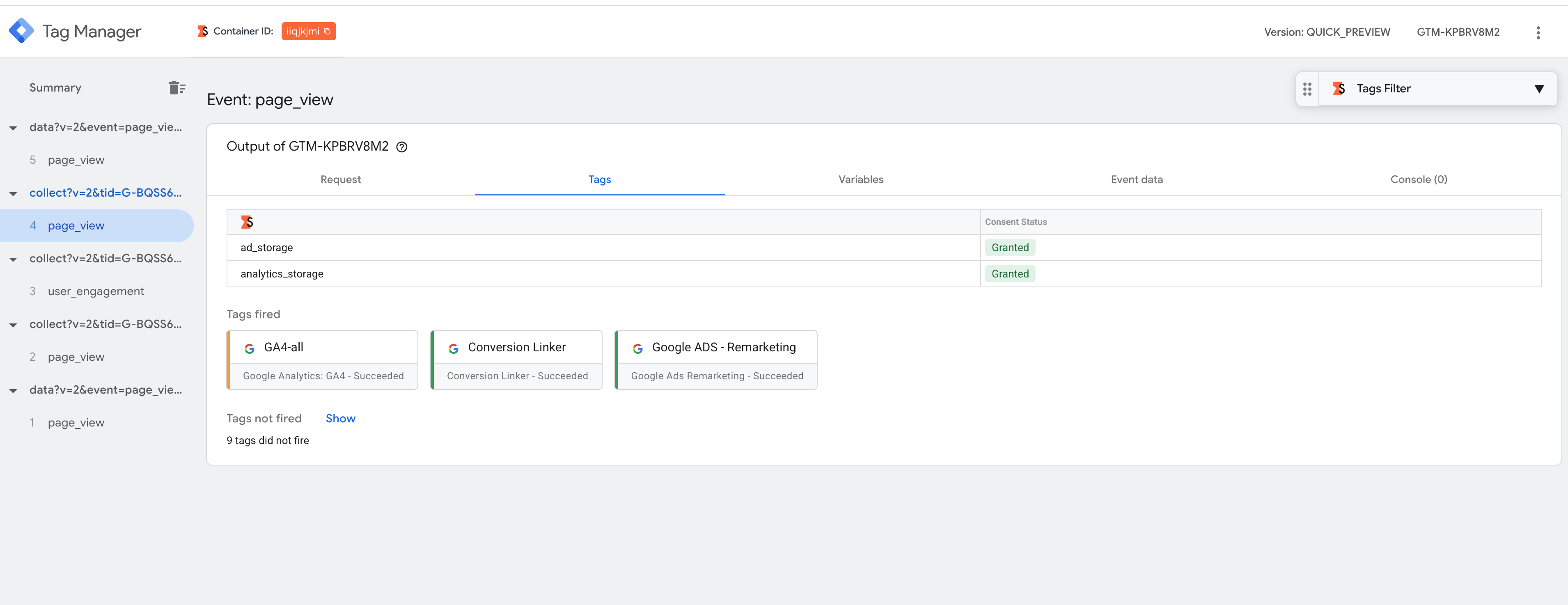
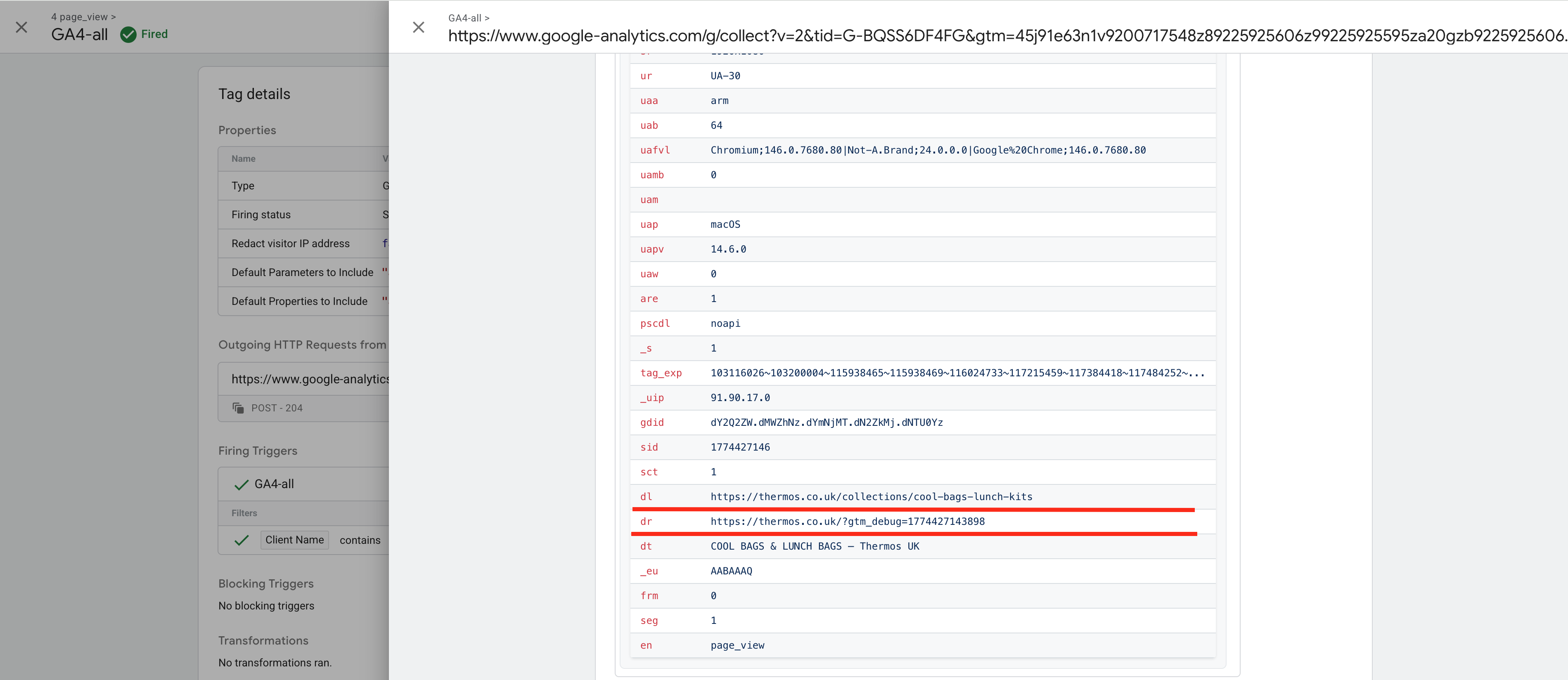
As an example, I added GTM to your site via the staging environment using a third-party Web GTM plugin (it is embedded on your site solely for my personal use and for debugging purposes). In my Web GTM, I use all the standard settings. Below, I have attached a few screenshots showing that the data I configured is being sent to the server correctly.
Yes, we recommend loading GTM via the Stape app, as this method eliminates errors that may occur during manual installation.
This configuration ensures proper cookie transmission and helps avoid restrictions caused by the Shopify Sandbox (unless you are passing everything manually).
Ultimately, you should first test everything using the standard configuration, then narrow down the issue and test more thoroughly. Since it is difficult to fully understand your current setup based on the description alone, you will need to test various options.
Thank you so much for taking the time to look into this — I really appreciate it.
Up until now, I’ve been using the full datalayer in Shopify customer event pixel without any issues. However, after encountering this problem, I tested using a GTM injector plugin to verify events on the Shopify checkout.
Interestingly, when I inject GTM using the plugin, data starts appearing in the server GTM container. But once I remove the injector (since it’s only meant for temporary debugging), the data stops being passed to sGTM again. It’s quite strange!!
At the moment, I’m trying a different approach — using the Stape Shopify app to inject GTM and enable the dataLayer, along with the Stape Setup Assistant to configure Google Ads server-side tracking using their JSON template.
 Any help is appreciated