I am facing an issue where all GA4 traffic is being attributed to the country where the Stape server is located, rather than the actual user’s location.
What I have tried so far:
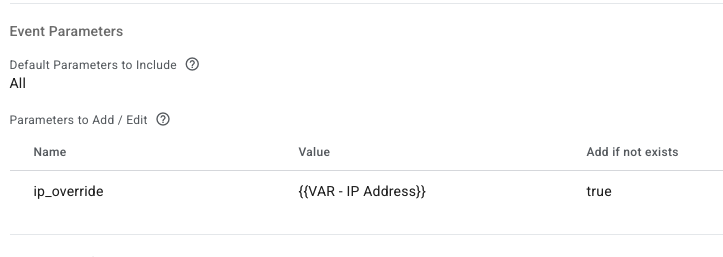
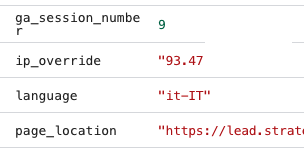
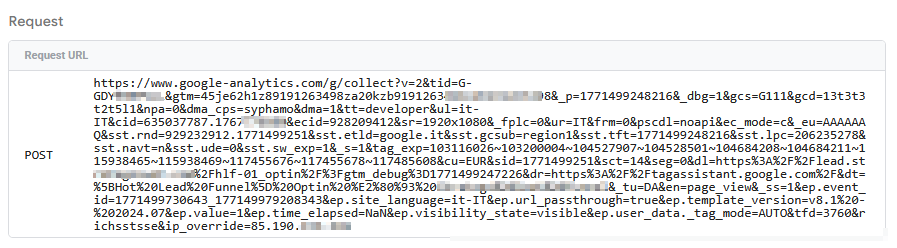
I attempted to set the ip_override parameter in the GA4 tag.
I mapped this parameter to the user’s IP using the X-GEO-Ipaddress header.
Unfortunately, this did not resolve the issue; the geolocation data remains incorrect.
I am aware that it is possible to set the country via the Measurement Protocol, but I haven’t found a way to manually override the geolocation within the Server-Side GTM configuration effectively.
Setup Details:
Server URL: Custom subdomain (gtm.site.com).
Platform: GA4 via SGTM (Advanced GA4 tag)
Does anyone have a workaround or a specific configuration tip to ensure the user’s origin country is correctly reported when using a Stape server?
I thought It was the best bet to always use the Stape tags
not really, the purpose of the tag is full explicit control of which parameters are being sent, unless you have a very particular case I’d suggest switching to native tag otherwise you have to control way too many things manually
Yes, that’s correct
doesn’t do you much good in this context, the aim of load. is to deliver your web container quicker so it is to be used in the loader
About your request:
ip_override is not a GA4 parameter, it’s a Common Event Data point in GTM, normally GA4 send the IP in _uip parameter.
Bottomline, I believe your situation is a combination of a lot of factors, my suggestion would be to first switch to native tag and see how that behaves, then consider switching from load. to plain subdomain as your server_container_url
I ran a test, it looks like the standard GA4 tag is working with correct user location while the Stape Advanced GA4 tag is pushing the server location
you have to do everything manually in advanced tag, it’s not that it’s sending a wrong thing, it is that lack of expected parameter makes GA4 fallback to headers and IP of the sending agent (your sGTM) hence the result.
So yeah, just use the native one.
So is it wrong to set “ip_override” as a parameter in GA4 tag? How should I manage it?
I mean, you don’t need to manage it manually at all, unless you have to. If the native tag sends things as expected - just rely on that. You don’t need to handle IP explicitly