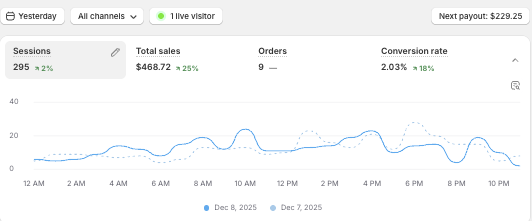
Hello
We have a problem: generally, a small number of conversions from ads end up in Google Ads. We thought that when we connected Stape, this indicator would increase slightly, but we don’t see a significant improvement, maybe 10-15%, and in general it’s somewhere around 40-50% of all conversions, sometimes even less.
Everything is set up correctly, everything is also correct through your Auto Assistant in GTM, we connected the auxiliary functions on your platform, and read the articles in your documentation.
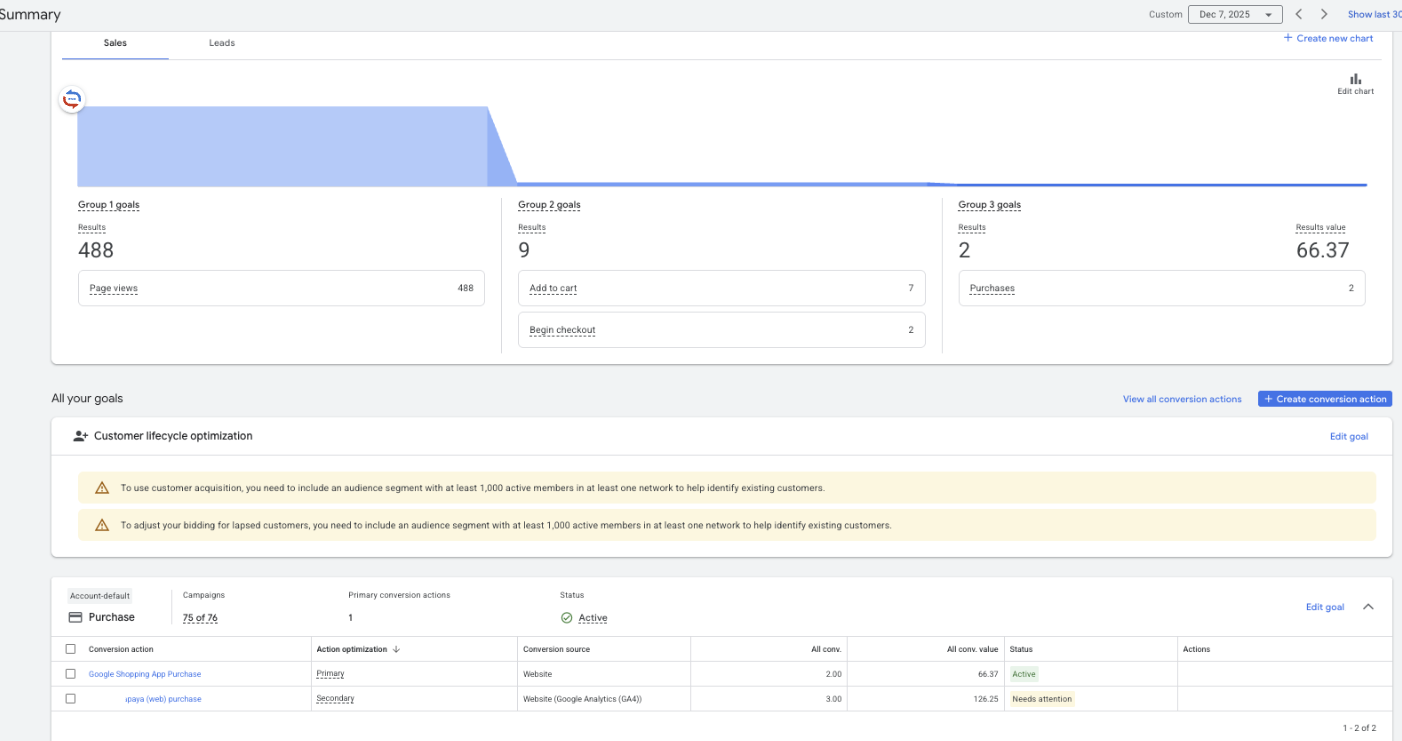
For example, on December 7
I would like to clarify that we are currently only setting up Google Ads, and only Google Ads, and applications are only coming from it
On December 7, we received 9 orders, but only 2 are displayed in the Google Ads account
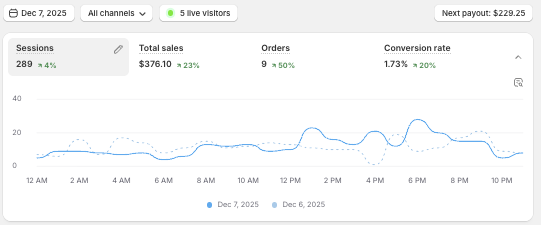
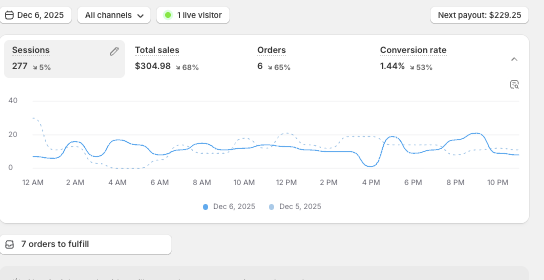
On December 6, 6 orders were received.
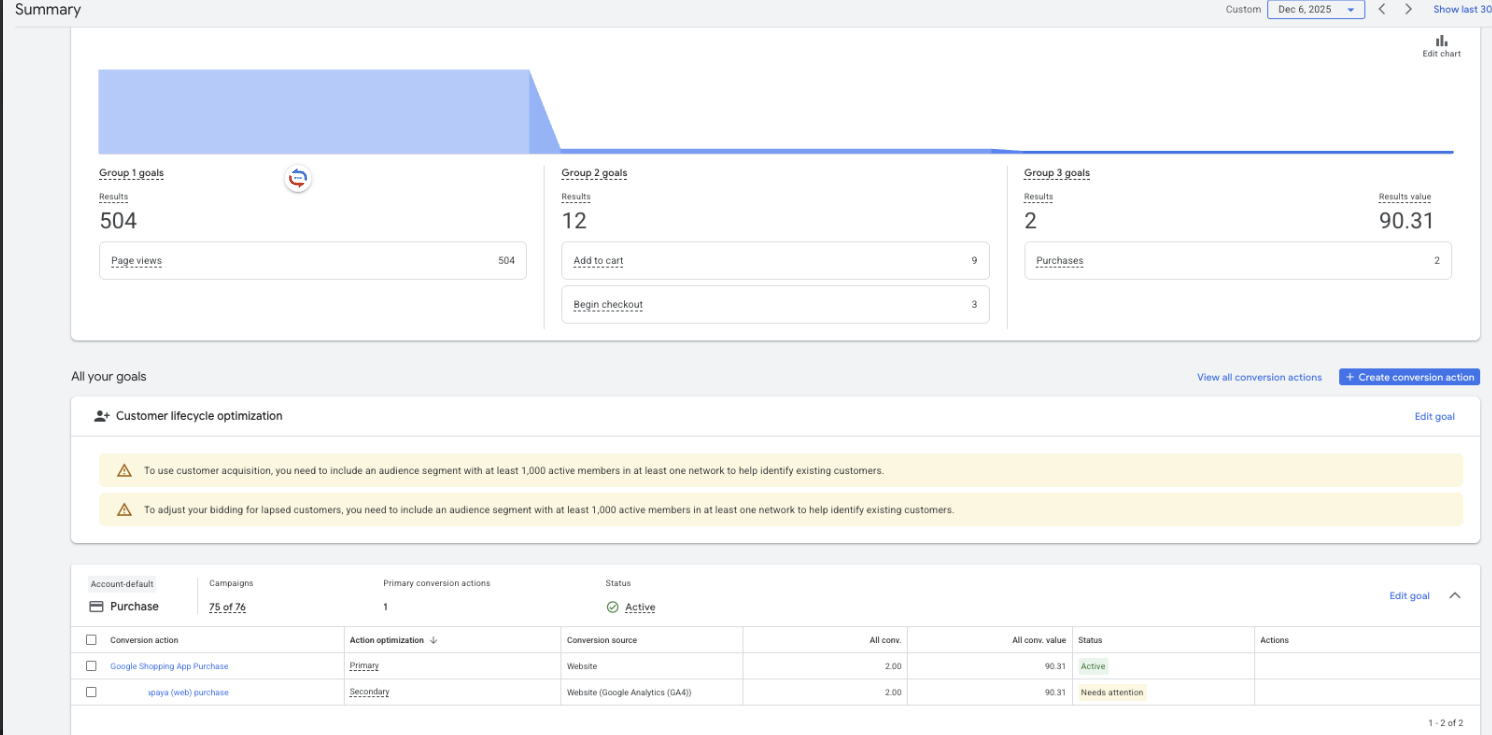
And that’s usually how it always happens, but yesterday, for example, we received 9 orders, 8 of which went to the Google advertising account. We can’t understand why there is such a difference, because our goal is to improve the conversion rate to the Google advertising account.