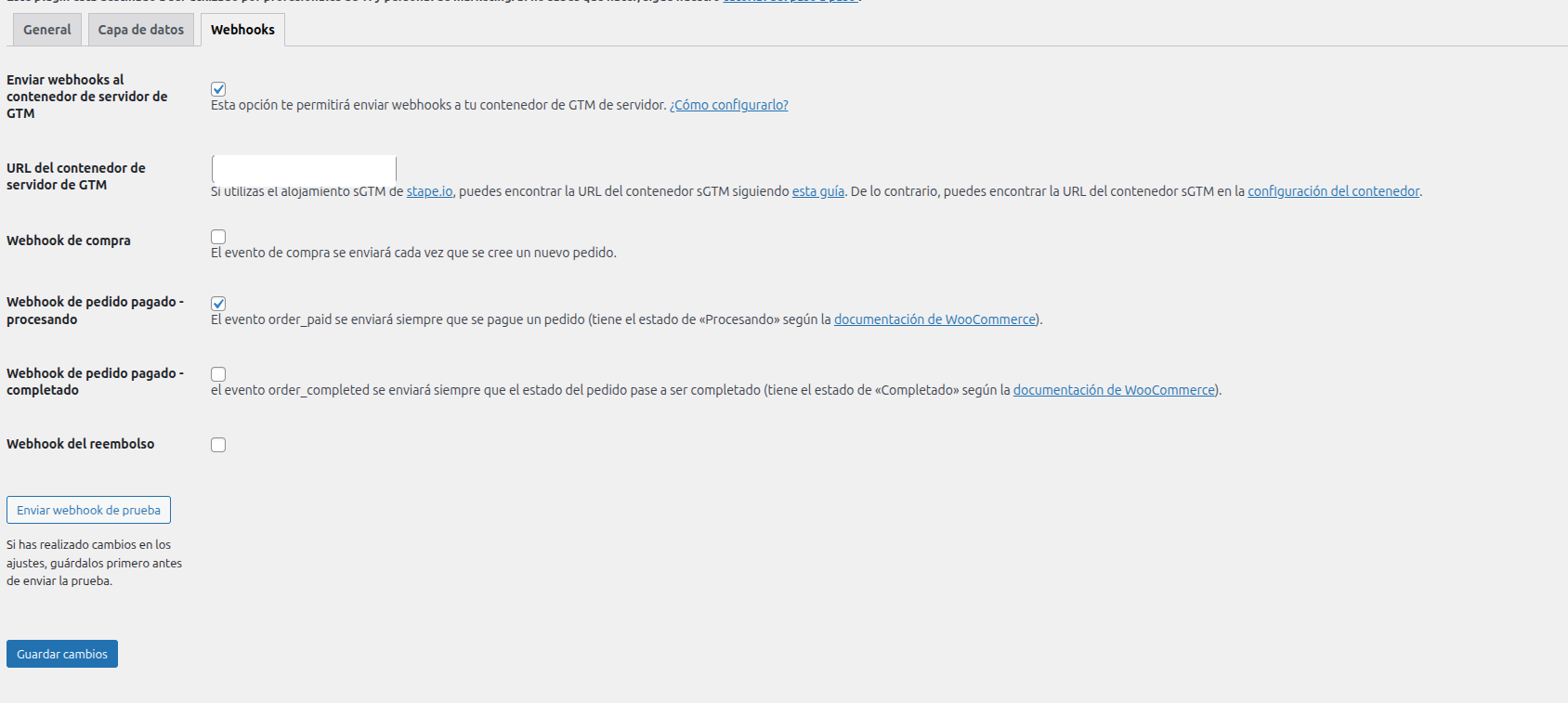
I’m using the Stape WordPress plugin with WooCommerce and a server-side GTM container. Everything works fine for online payments like cards, but I’m having trouble tracking conversions for offline payment methods (such as cash, bank transfers, etc.).
In these cases, the purchase is only completed after a delay (via webhook or manual confirmation), and when the order status changes to “processing” or “completed”, the purchase event doesn’t seem to be sent properly to the server container — or it gets triggered without any attribution data (gclid, utm_*, etc.).
Has anyone solved this issue?
Do you use a custom webhook?
Do you resend the purchase event when the payment is confirmed?
How do you make sure the conversion is properly attributed?
Yes, I have the same question. On Shopify Stape also sends the Cart Token with the webhook. Is there something like this we can use for WooCommerce as well?
Then on the checkout event, you store the Click IDs in the Stape Store and use the Lookup to retrieve them once the Webhook comes through.
Hey @Joshua_Botha per your request, here is the list of cookies included in the webhook.
_fbp, _fbc, FPGCLAW, _gcl_aw, ttclid, _dcid, FPID, FPLC,
_ttp, FPGCLGB, li_fat_id, taboola_cid, outbrain_cid,
impact_cid, _epik, _scid, _scclid, _uetmsclkid, _ga
Thank you for letting me know. Do you perhaps have an image of what this looks like in the datalayer? So, I can use an Event Data variable to retrieve this data.
I’m having this same exact issue and I’m not really clear on whether if this webhook feature in the WooCommerce plugin actually works out of the box or still requires further fiddling?
I’m not getting any of the “Purchase”, “Order_paid” or “order_completed” events that are supposed to be sent with manual order creation/updates.
To check that the webhooks are working with the plugin, please ensure:
that you have installed the Data Client on the server container (it is responsible for receiving webhooks)
that you have enabled ‘Send webhooks to server GTM container’ in the plugin settings
you have specified your custom domain in the ‘Server GTM container URL’ field and added the default path /data after it for processing webhooks by Data Client (example: https://sgtm.example.com/data)
you have ticked the boxes next to the webhooks you want to send via the plugin
you have saved the settings
To check that the webhooks are working, you can use power-up ‘sGTM Preview header config’ in your Stape server GTM container, which will allow you to verify that the webhooks are reaching your server container. Please refer to the guide on how to use it: Debug incoming webhooks in Google Tag Manager server preview - Stape
Send a test webhook from the plugin to ensure it has been received by the server container.