Help with "Connection" to CRM Feature Not Working - High Level / GHL

Hi!

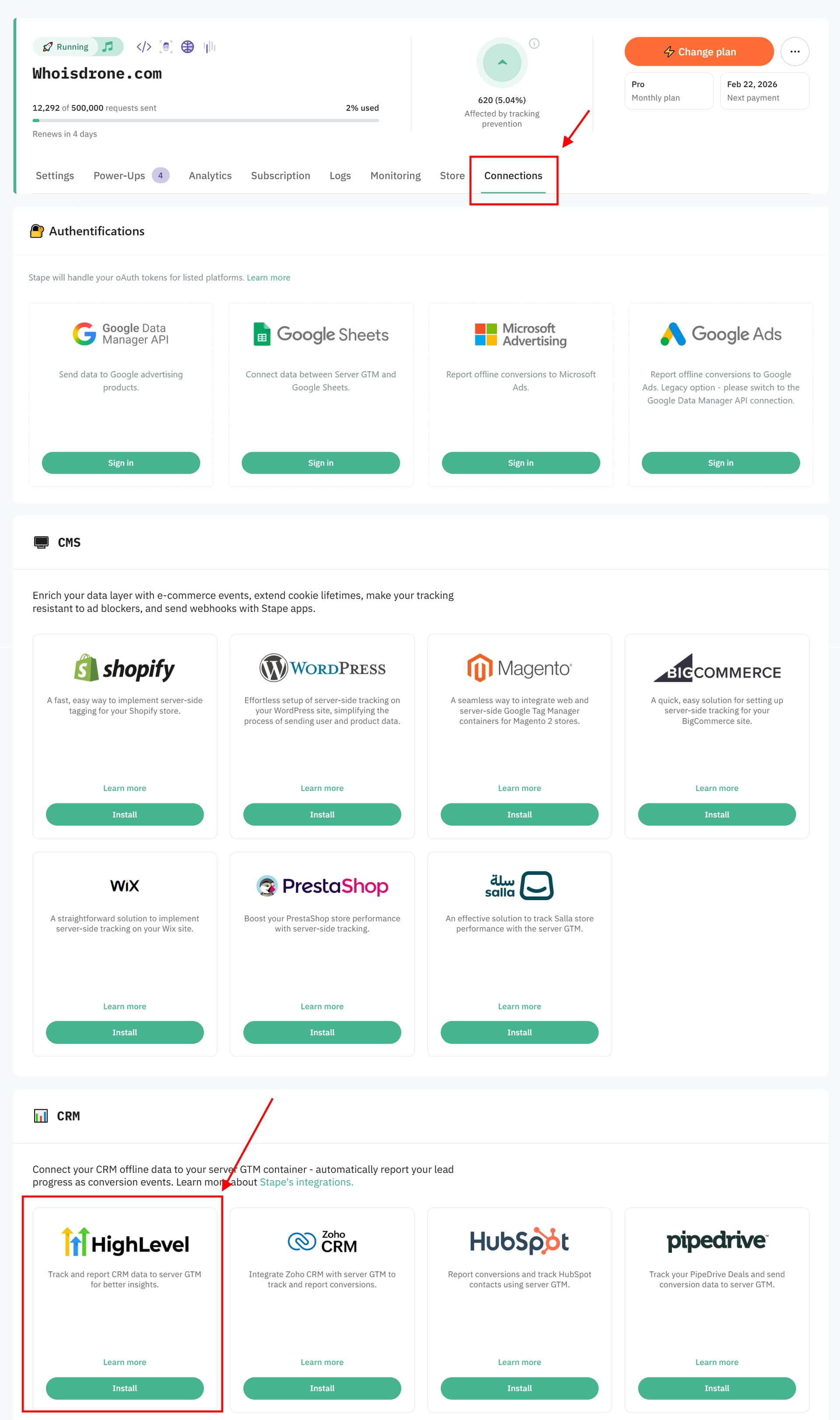
I’ve been trying to use the functionality of one of the apps/integrations found under the “Connections” section of the sGTM containers interface in Stape, specifically the High Level CRM connection, but it does not seem to be working. I suspect it may be a non-functional piece of code.

I have also asked support about this via email but I also would like to ask here if anyone has experience with this, and if it is possible to confirm that this “Connection” integration actually is a functional piece of code?

I have installed and configured this correctly to my knowledge, after some back and forth with Support and asking a question here as well (thanks Dan).

So to my understanding, it is configured correctly, but it give no indication of being functional.

I have made an in depth video showing how I set it up, and how and why I think it is not working:

BTW I am talking about the integrations found here under “Connections”:

hey @Alex-NLB as far as I understand you are confused by the fact Stape UI looks the same although you’ve installed the app GHL side? If that’s the case - be not afraid, it’s expected)

GHL connection is essentially a link to GHL marketplace for you to install the app, there’s no actual “hard” “link” there. If you’ve setup the app correctly - it does it’s job.

Do let me know if you have more question on the matter, happy to assist.

1 Like

Hi @Dan, Thanks a lot for the response, appreciate your assistance.

I’m not really confused about the installation process and the way it is linked, I realize that it is a GHL marketplace app linked to from within Stape (I am guessing Stape developed it), and it appears within my GHL subaccounts once installed and can be edited/reinstalled from there as well. That’s all very clear.

I guess you have not seen the video I posted, but I have configured the connection correctly based on the instructions (and clarifications from support and yourself), I mean it is ridiculously simple and exactly like a thousand other automations and field-matching configs that I have done before, as long as you know about the fbc vs fbclid and how to get the fbclid into the CRM so you can then use it with this integration - which I now know.

My problem is that the pipeline stages that should be sent as events by this integration, that I should be able to then use somehow in the Facebook Ads Manager as a goal to optimize towards when running ads, these do not appear anywhere in Facebooks Ad Manager for me. I have tried this in two separate subaccounts/meta ad accounts, and nothing is appearing. I gave it more than a week, but still nothing.

I am willing to accept that maybe I am doing something wrong, that’s why I made the screen recording video showing what I am doing and how I am attempting to validate if it is working. But if I am doing everything right, then maybe the integration does not work, I guess it’s one of the two things :man_shrugging:

In my mind I have done everything right and the Stape High Level connection/integration doesn’t work, but as I said, I might be wrong, it’s not like I’ve done this many times before. The 1 out of 5 star rating on this app though, does not inspire confidence, it’s got me doubting. But maybe those people who gave the 1 star rating where simply not persistent enough to get it working.

If I do get this working, it’s a game changer. Leads that don’t end up ‘closing’ are useless, if I can tell Meta what a good lead is using this integration, that’s like the holy grail for me right now.
Hey @Alex-NLB alright, I rushed with conclusions - apologies.

As per your video, you are using the sGTM route, which means the app will distribute events you’ve setup only up until your server container, but then it’s on you to fire tags inside GTM accordingly. I described the concept in a neighbour thread here: Salesforce/Stape sGTM Integration

It’s only with CAPIG/Signals where setup ends at configuring the app, with sGTM there’s a few extra steps.

I can see how documentation is lacking in this aspect - we will be addressing that ofc.

1 Like

Thanks @Dan, will try to get it working based on the info you provided in the other thread. Yeah it will definitely be useful to have the entire setup process in the support docs, I will hopefully have this working before then, probably with some help from AI. Will give it a go tomorrow.