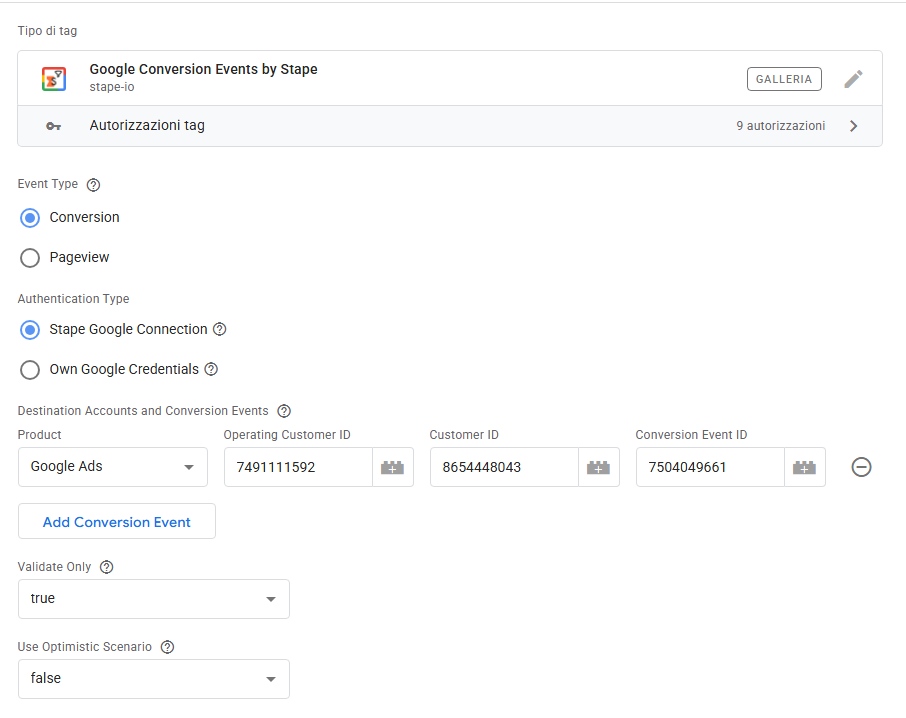
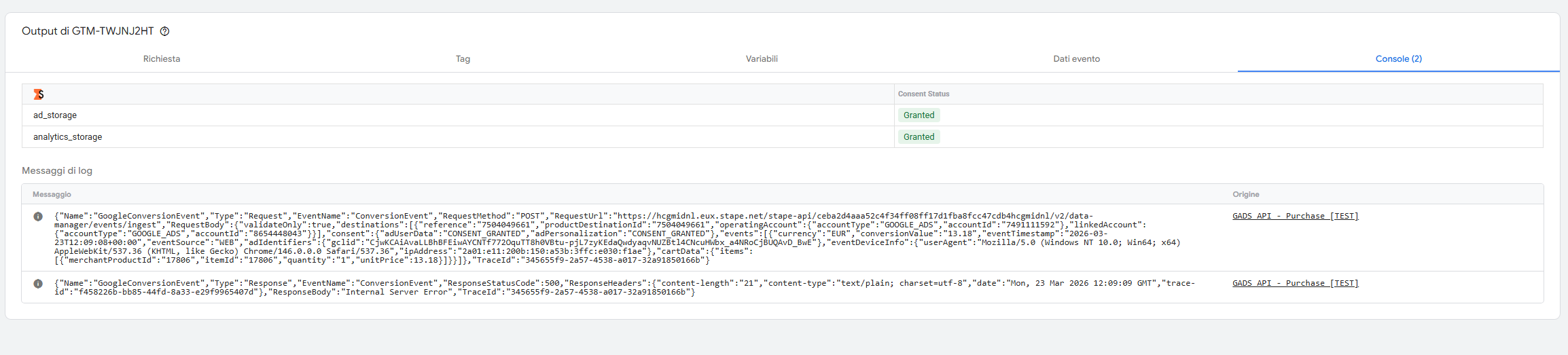
I’m getting a persistent 500 Internal Server Error when using the Google Conversion Events Tag with the Stape Google Connection (Data Manager API).
The response is a generic text/plain body with just “Internal Server Error” — no JSON error from Google, which makes me think the request never reaches the Data Manager API and fails at the Stape proxy level.
Trace IDs:
f458226b-bb85-44fd-8a33-e29f9965407d
80a766b5-c3e0-48c6-a6b3-7a0b8e48417b
8507bbfd-b4bb-453f-b97a-3144586a55da
Since the response is text/plain and not a structured JSON error from Google, it seems like the Stape proxy is failing before forwarding to the Data Manager API. Could someone from the team check the trace IDs above?
Is there anything else I might be missing in the setup? Has anyone else experienced this?
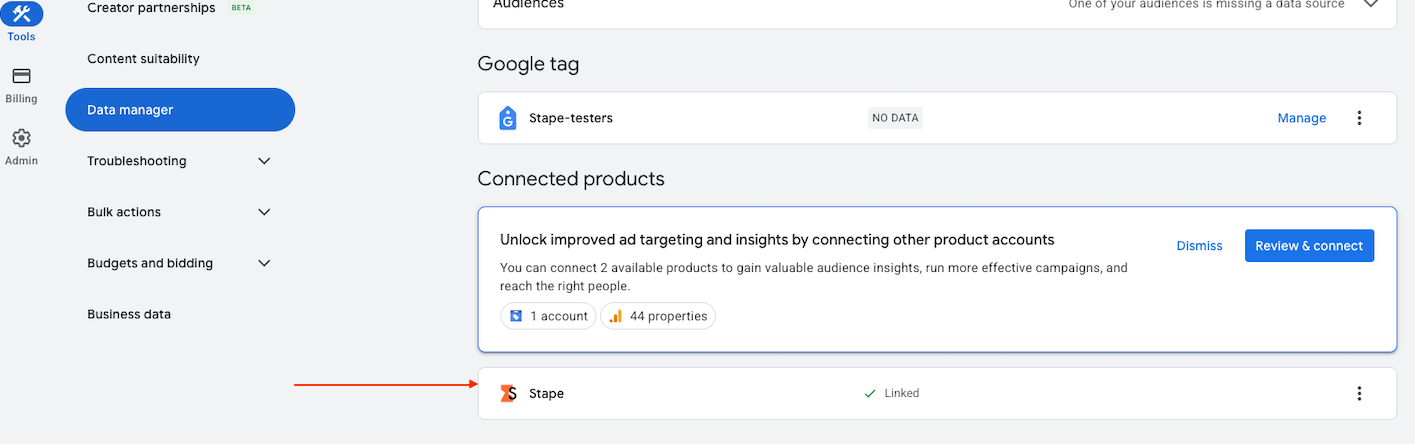
Make sure that the target account has a product link; you can check this in Google Ads → Tools → Data Manager
If the link isn’t there, here’s the first tip: Make sure the account authorised on the connection has admin rights, if access is via an MCC account – make sure you’re entering the correct customer/operating customer
Look for the link in the final (target) account, not in the MCC
Hi Dmytro,
I just checked, and I can confirm that I can find the link in both the MCC and the subaccount.
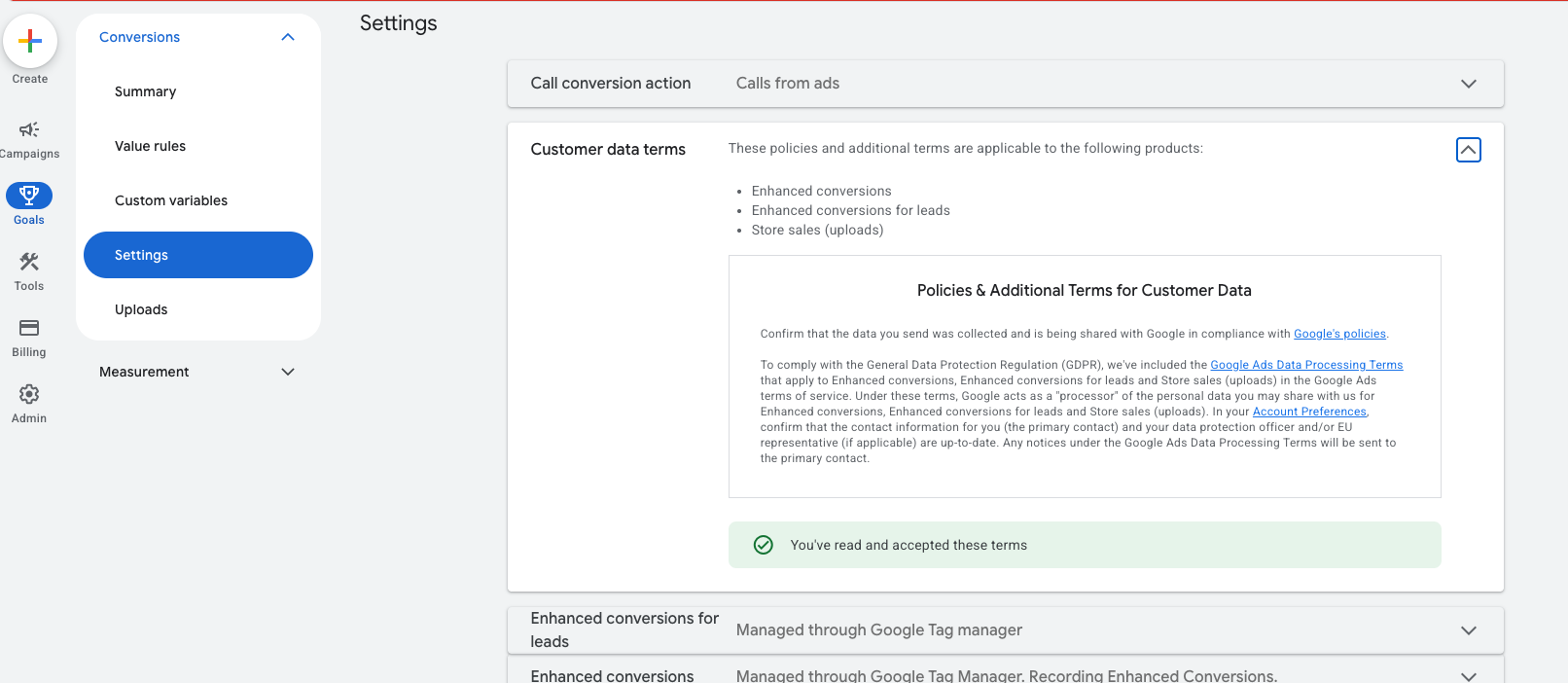
The Terms and Conditions are also accepted.
I don’t understand why it’s giving “Internal Server Error” with the convertion
@daniele.pikk try adding transaction_id to your tag setup, I assume you’re trying to send signal to Online conversion action, which with DM requires transaction_id for deduplication purposes.
Think of it is “event_id”, it doe not have to be a order_id.
If you are reporting to an online conversion action though, make sure that said transaction_id is the same in the DM API hit and the normal tag hit. Please refer to the following articles: