yep this one , awensome. Thanks you very much ,gonna test this one. I couldnt find those parameters. Link in this tag is wrong (404)
@giovaniortolani btw, whats your opinion for offline conversions in ecomm, because its looks like while you are adding gclid + gbraid its may be better than standard sGTM purchase event
I suggest setting up a secondary conversion receiving data from the Offline Conversion tag and seeing how the numbers behave. The only downside of the Offline Conversion tag is that it may not perform well for view-through conversions.
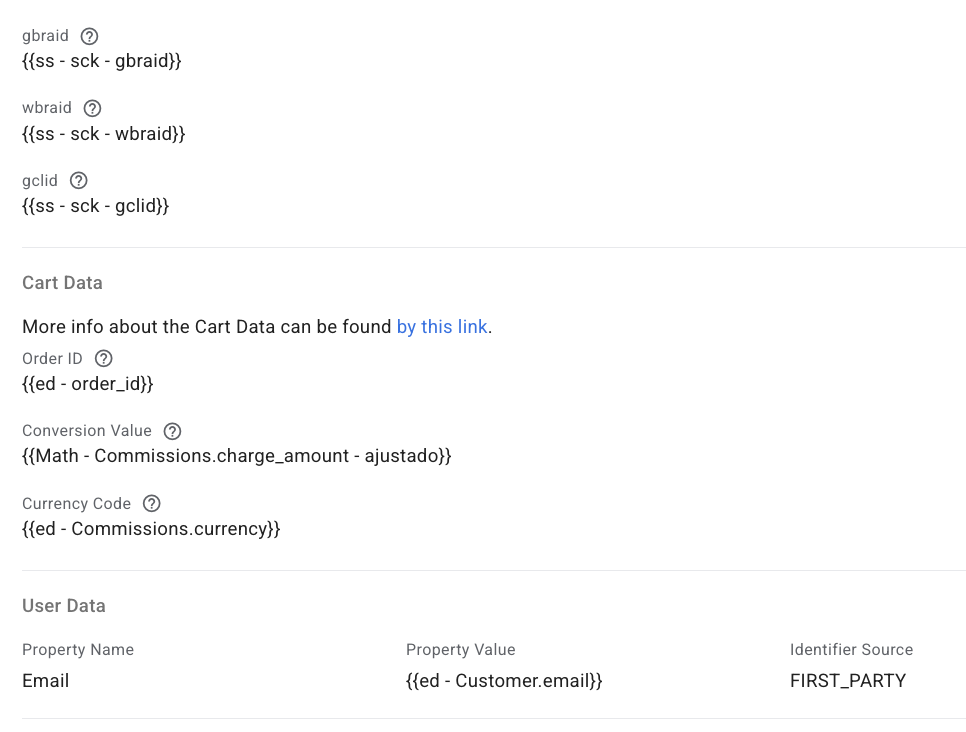
Don’t forget to add as many IDs as possible (gclid, gbraid, wbraid, user email etc.).
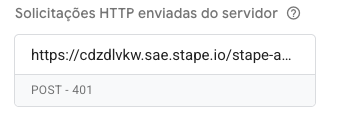
About that, i am having a bad time here trying to trigger google ads offline tag, it just always gets POST 400, i have connected stapes container do Google with “connections”, used gclid gbraid and all of what i could get my hand in, and it neves triggers in the debug.
Is there anything that i have to double check to se if i left something behind?
@giovaniortolani Is it possible for it to be a Stape connections bug? Because i have already disconnected and reconnected 3 or 4 times, the email connected is owner of the google ads account that i am trying to send data, and i always get POST 400 - Document not found, or this 401 that i have posted above.
Do you have any advice for me to make other tests?
Hey @gustavobork while bugs are possible anywhere, we have a ton of customers using the connection so before we resort to anything like that, could you please you please maybe show us your tag settings?
Hey @gustavobork could you please give it another shot? No need to reconnect, just fire them tags again. There may have been some issues related with our internal API updates, it’s possible that interfered with your attempts.
Thanks @Dan, i have tested it yesterday and it worked, got POST 200 on all of the tests, did not changed anything in the configurations, it is done! Thanks.
About it, there is something else that i was wondering here:
When i have GBRAID and DONT have GCLID, and i also have the email of the user, the response body says that there is a partial error - when i test only with GBRAID and NO email, it looks like it worked.
When i test with GCLID and email, it also works…
Question, when i will send a conversion that has gbraid/wbraid and NO gclid, i cant put anything inside the email variable, right?
The thing is that i save those values (gbraid wbraid and gclid) in Stape Store, when the webhook comes i use a unique identifier to reclaim it, but i dont actually know which conversion will have only gclid, or gclid and gbraid, or only gbraid, so i cant use the same tag for it, right? Because if a eventual conversion comes with only a gbraid i a have the email setted up it wont fire… at least that was what i have seen…
I thought abou creating rules on the trigger based on the existance of the values (gbraid wbraid and gclid), and that would lead to basically have one tag for each situation.
Does that makes sense? Or i can have only one tag, with the variables of email and all of the click identifiers like in the screenshot below?
You mean null/empty even if i have another value? Imagine that i have gclid and dont have any other, gclid will be there but gbraid and wbraid will be null, is that a problem?
Or you mean null in the case that all of them 3 are null?
I saw some topic, that u cant use them both , gclid + gbraid. And its probably true becuase i have 2 offline conversions. One with just gclid, and other one with gclid + gbraid. And gclid + gbraid have much more less converions.
@Dan
obv, can we make stape tag to clean up empty / null / undefined values?
Imagine having gclid and graid saved, and one of them is empty / undefined / deleted whatever. It cause problems ( probably i set it wrong if my gbraid is deleted but anyway)