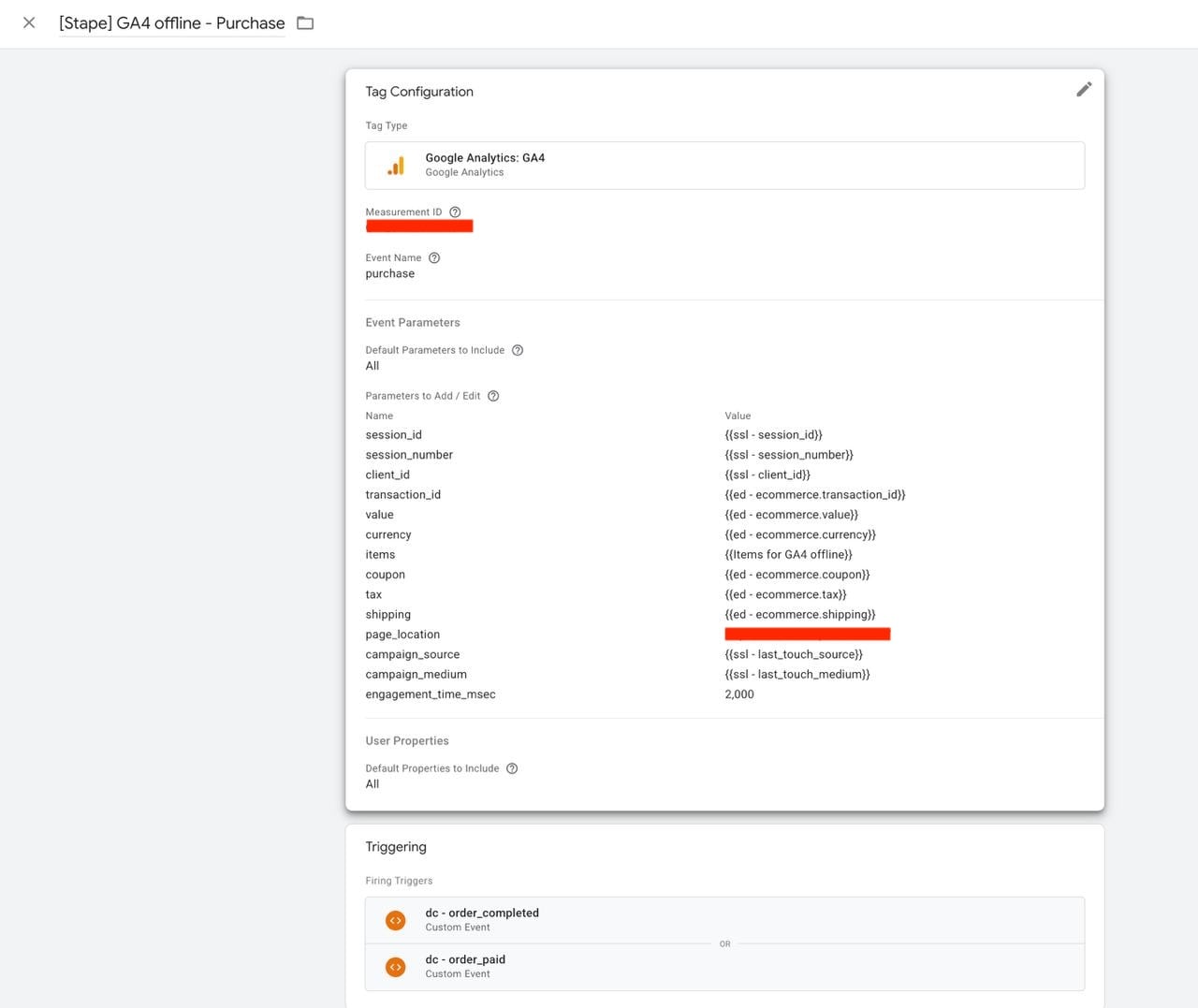
Hi Stape Community,
I’m facing a persistent session stitching issue with GA4 server-side events and would love to get some insights from you.
Our Architecture & Pipeline:
-
Trigger: A user signs up for a trial on our web app. Stripe generates a subscription/trial event for 7 days. After 7 days Stripe makes the payment and sGTM triggers the purchase event.
-
Backend: Stripe fires a webhook to our custom Node.js backend.
-
sGTM Forwarding: Our backend extracts the active browser cookies (
_gaand_ga_CONTAINER_ID) at signup time, enriches the payload, and POSTs it to our sGTM container hosted on Stape. -
Destinations: sGTM processes the event and dispatches it to GA4, Meta CAPI, and Google Ads.
The Issue:
Client-side web events (page_view, etc.) are tracked and attributed properly in GA4.
However, our server-side start_trial, purchase event sconsistently ends up under (not set) for Session Source / Medium in GA4, despite passing both client_id and a fresh, live session_id in the webhook payload.
Webhook Payload Structure (Sent to sGTM):
JSON
{
  "client_id": "1981365705.1786007408",
  "event_name": "Data",
  "user_id": "cus_V1QAKJV24D75q3",
  "ip_override": "4.233.222.216",
  "user_agent": "Mozilla/5.0 (Windows NT 10.0; Win64; x64)...",
  "timestamp": 1786007498,
  "events": [
    {
      "name": "start_trial",
      "params": {
        "currency": "EUR",
        "value": 0,
        "session_id": "1786007406",
        "em": "82314bd6e57...",
        "ph": "99e25c9d822...",
        "items": [...]
      }
    }
  ]
}
What We Have Already Verified & Configured:
-
Timestamp Freshness: We verified that
session_id(1786007406) is parsed live from the active_ga_CONTAINER_IDcookie and matches the web session start time within 90 seconds of the webhook execution. -
Key Path Mapping: In sGTM, our Event Data variable
{{EDV - session_id}}uses the key pathevents.0.params.session_id. -
Tag Parameter Overrides: In the GA4 Server Tag, we explicitly map
session_id={{EDV - session_id}}. -
Client ID:
client_idis passed at the root level of the JSON payload.
Our Questions for the Community:
-
Is there any specific parameter required by GA4 Server Tags (e.g.,
engagement_time_msec,session_number, or_s) to successfully force session stitching for offline/server webhooks? -
Could there be an issue with how the Client / GA4 Server Tag handles the
session_idparameter when nested inside aneventsarray?
Any suggestions or troubleshooting ideas would be greatly appreciated!