1- Created one web and one server container
2- Installed shopify app
3- Filled the shopify app with correct information for custom loader etc.
4- Enabled custom pixel.
5- Used Stape’s setup assistant filled all the fields for capi, conversion id, label etc.
6- Let setup assistant create the tags and variables and everything in both web and server containers.
7- Enabled app embed.
Now I’m seeing duplicated add to cart events, duplicated collection view events etc.
There are usually several possible causes for event duplication.
Please ensure that you do not have another source reporting these events, such as native Shopify apps or other implementations, and that the pixel is not being initialised twice(for example, both directly from code and via GTM).
Please also let us know how tracking was set up previously? On which platforms are you seeing duplicate events?
Hi,
Previously, this was integration via the Shopify app “Facebook & Instagram.” Now , I’m using stape App - “Facebook & Instagram” is enable only for product catalog (Data sharing is off). There is no other source of code - it’s only from “Stape Conversion Tracking”
Site: Dziennik wdzięczności
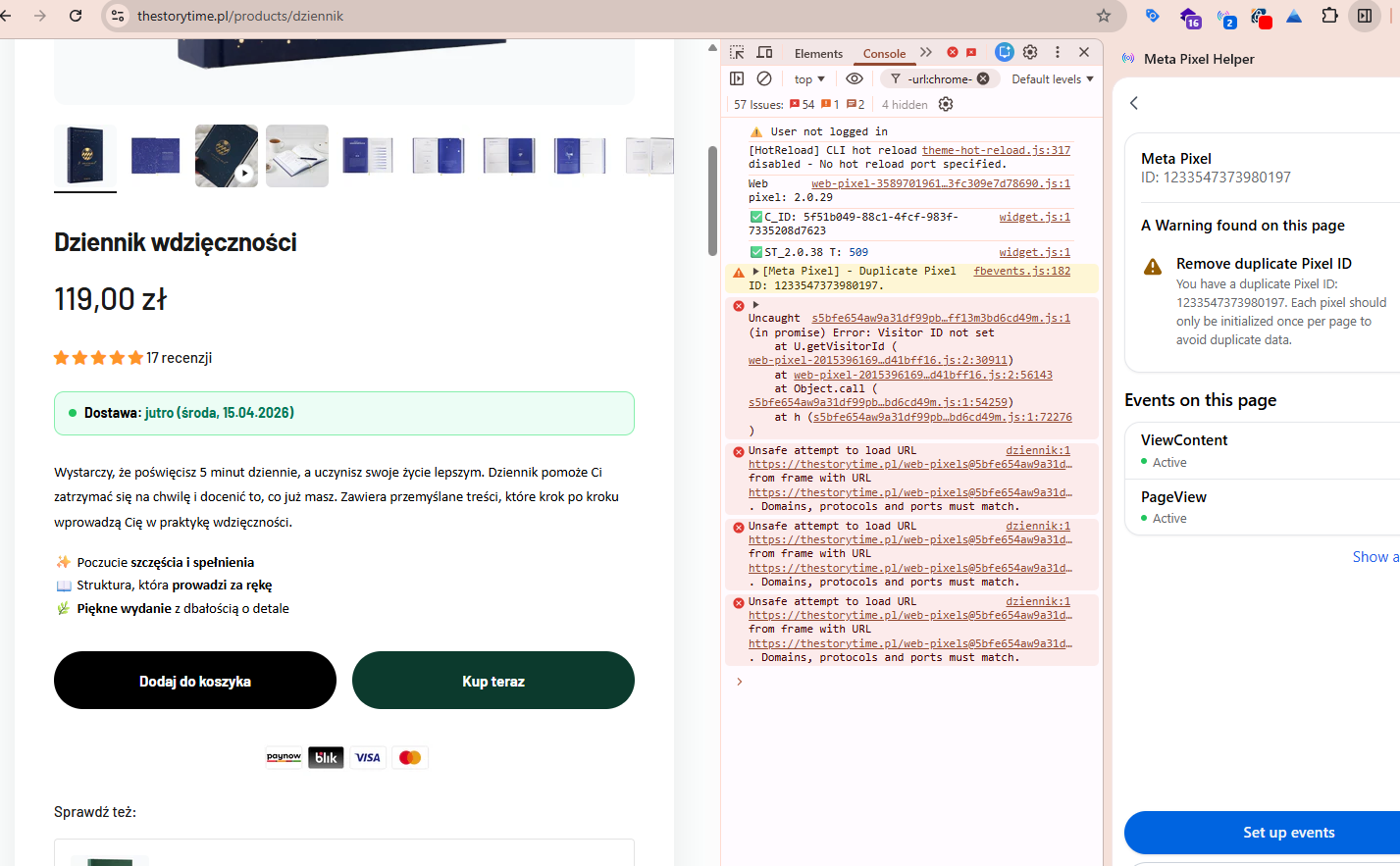
The screenshot clearly shows that there is an issue with double pixel initialisation.
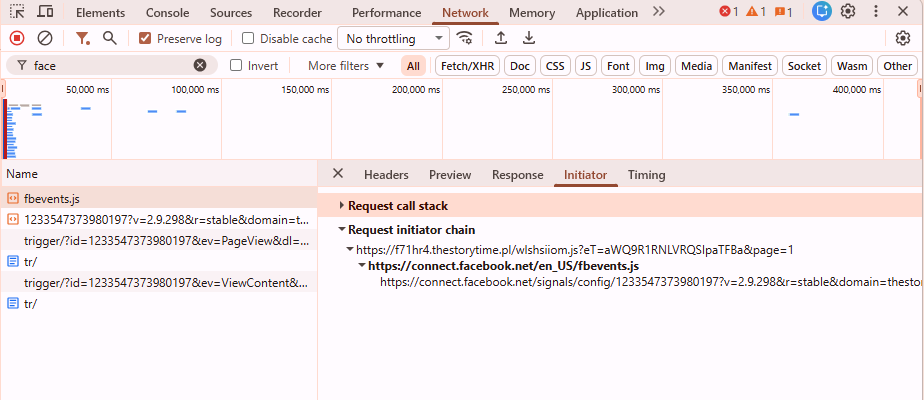
Please could you let me know whether the pixel is initialised via GTM in your setup? As I can see, the pixel is also being initialised directly from the code.
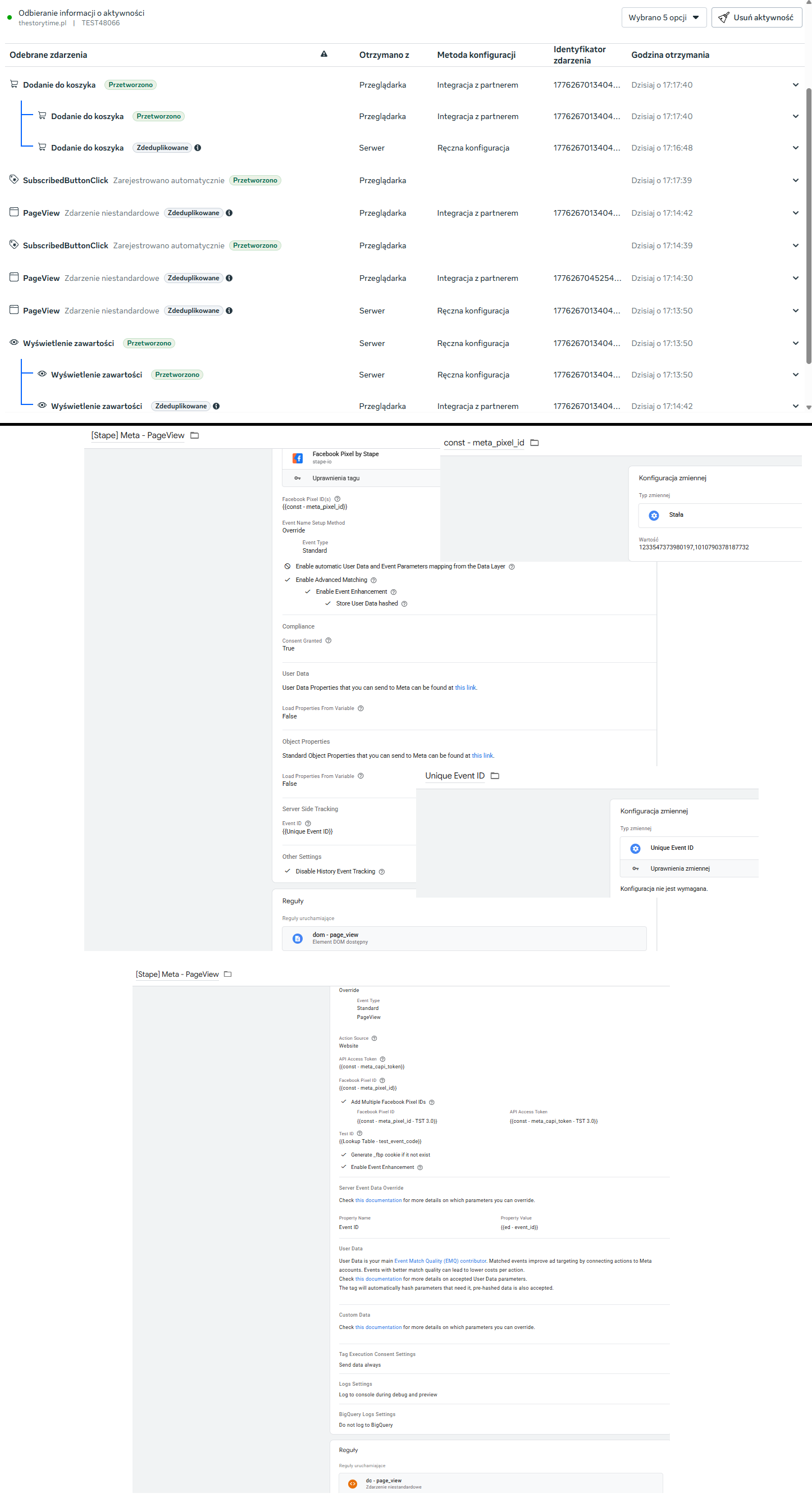
I just completely removed the “Facebook & Instagram” app, but the problem persists. All requests originate from Custom Loader GTM, and there I only have tags from “Setup Assistant”:
Has the problem persisted after the app has been completely removed?
If so, could you please share some screenshots from your events manager showing duplicate events, a screenshot of your tags page from GTM, and check the theme.liquid to see if any code has been added manually there?
Yes, the problem persists even after the Facebook & Instagram app has been completely removed from Shopify.
Regarding your questions:
Theme.liquid: I have double-checked the file and confirmed that no GTM or Meta Pixel code is added manually there.
Parallel Tracking: I have recently added a second Facebook Pixel for parallel tracking. Both pixels are managed through GTM using Stape templates. The same error occurred with a single pixel (Your template supports multiple pixels, so I assume it doesn’t make a difference)
Console Errors: I am still seeing the “[Meta Pixel] - Duplicate Pixel ID” warning in the browser console.
The second pixel isn’t a problem. You’re sending events to a different endpoint.
When checking on the website, I don’t see any additional events being sent, although the warning is present in the console.
What I can advise you to check next is to go to your Business Manager under Integrations and check the active integrations; there are cases where, even after deleting an app/integration, the connection on Meta’s side remains, which could be causing the events to be duplicated.
Hi,
I fixed the duplicate error by checking the “Run the ‘init’ command only once” checkbox.
My Business Manager is experiencing some visual glitches where data for a specific date range isn’t always displayed. This appears to be a UI error, as the data reappears after changing the date range.
However, I have one major reporting error. The first account reports, for example:
37 link clicks and 26 LPV
the second account:
16 link clicks and 27 LPV (Instagram Reels 11 clicks vs 25 LPV)
There should be a similar amount of LPV here as clickLinks.
Do you have any idea what might be wrong here? We didn’t encounter this type of differences in data with partner integration.
To confirm that the duplication of events has been resolved, you need to check the Events Manager and ensure that the number of web and server events is roughly the same. There may be slightly more server events.
Unfortunately, we have no involvement with Meta Ads Manager and cannot advise whether what is currently happening is correct.