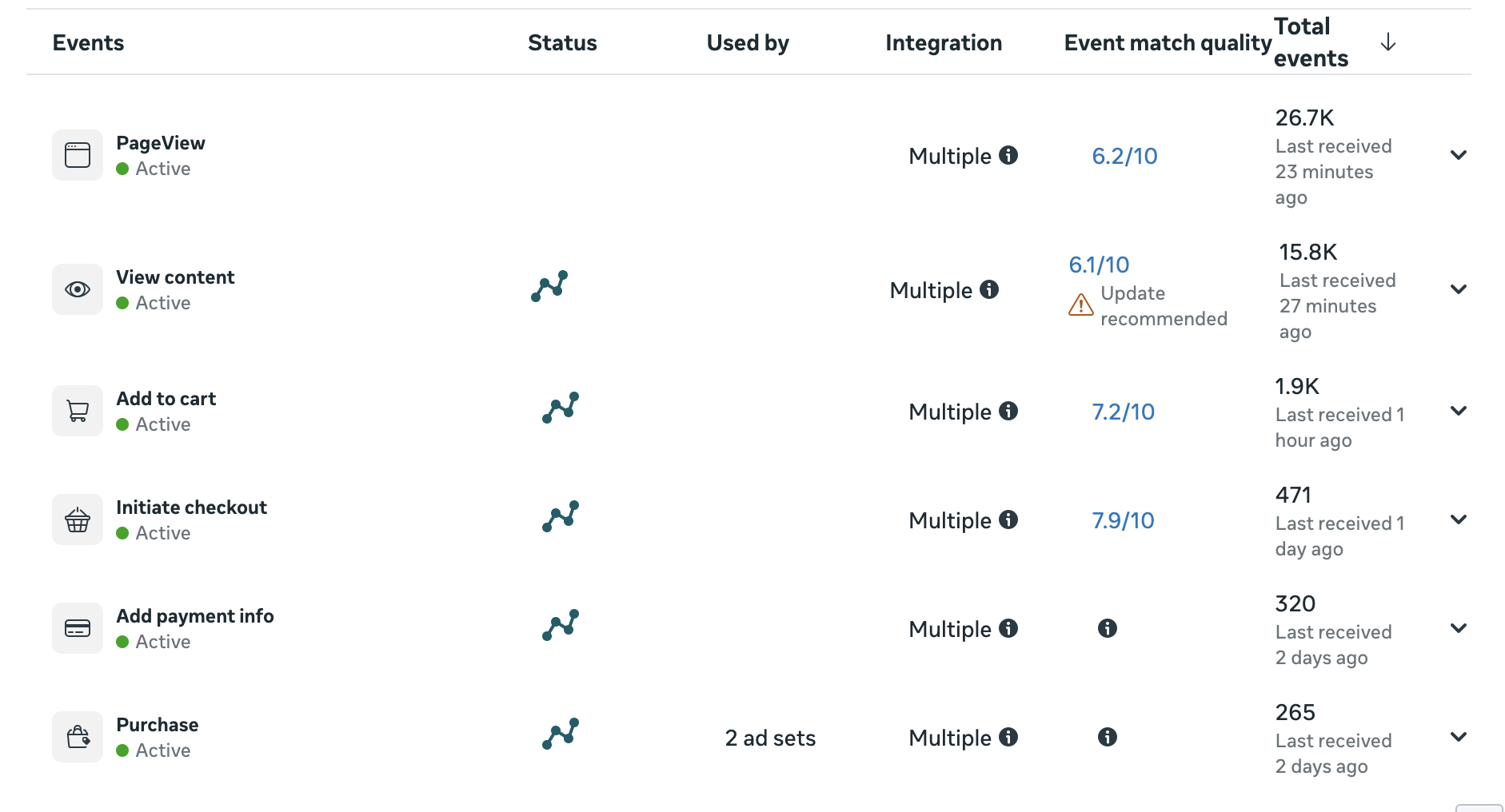
I cannot figure out why my event matching scores are not all 10/10. Can someone please let me know how I can get these numbers higher?
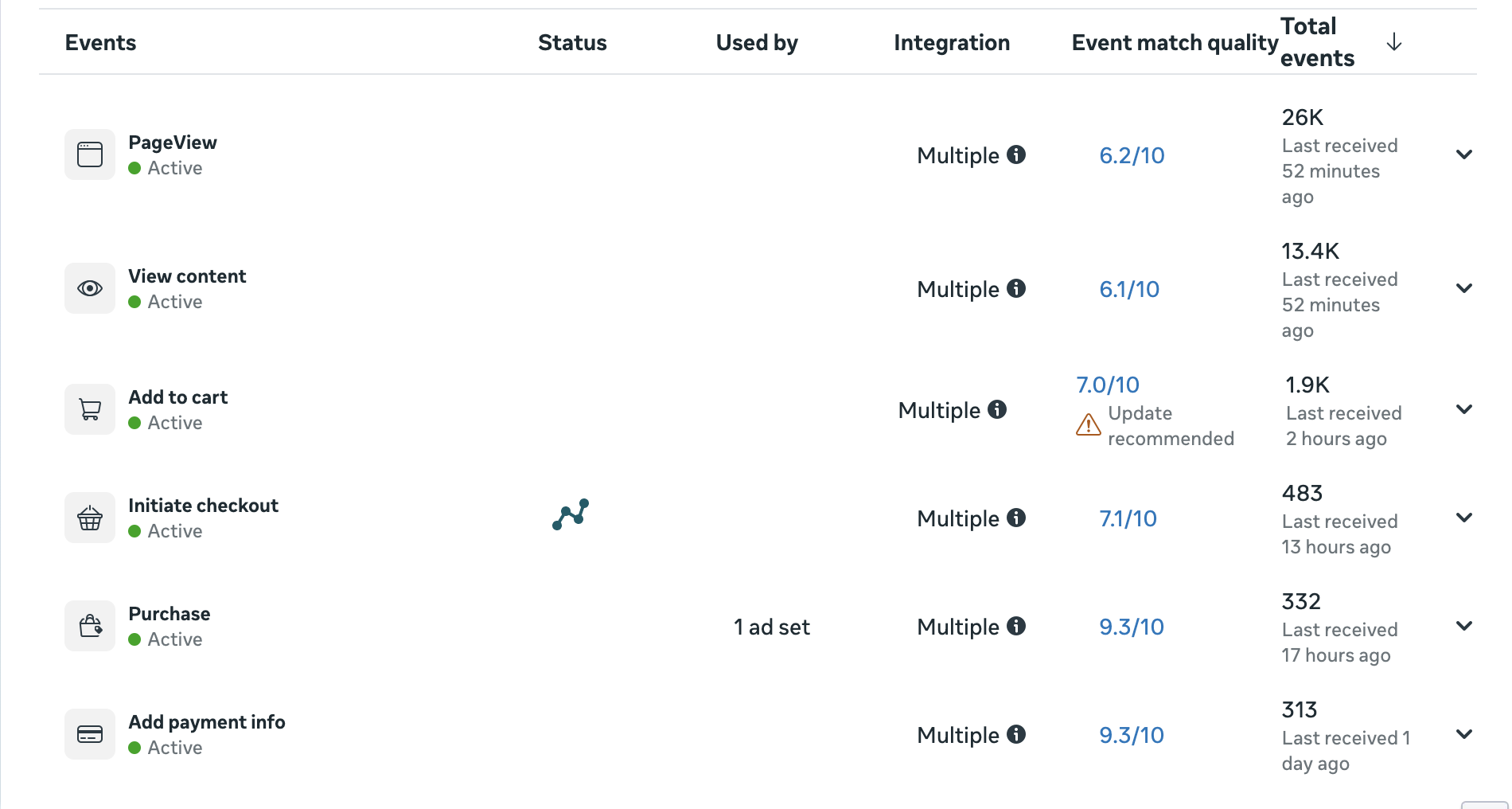
EMQ depends on the amount of user data you send with an event to Meta. And since the most user data is available on the “add payment info” and “purchase” events, they have the highest EMQ.
Your EMQ looks perfectly normal; it almost never reaches 10/10.
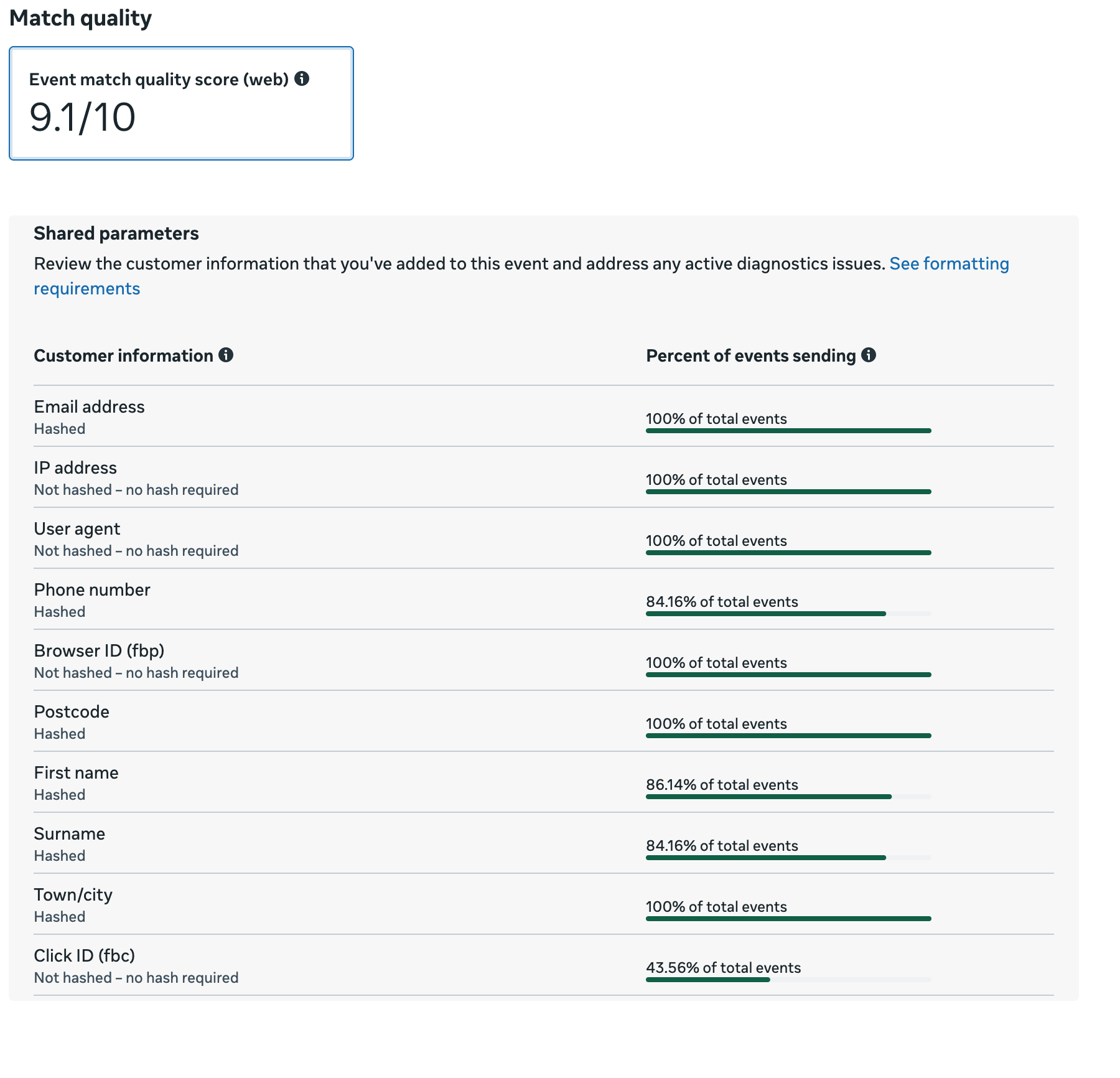
You can always click on an event’s EMQ value to see which user data you receive with that event and which you do not.
Judging by your description, you have a Shopify store. By default, the preview on the checkout page doesn’t work on Shopify, as the checkout is located in a separate sandbox.
We’ve recently updated our Chrome extension, which will allow you to test your setup on the checkout page easily in the preview.
Dmytro covered the EMQ part well. I wouldn’t over-optimize those scores first. Lower-funnel events usually have better matching data available than product/page events, so the gap isn’t surprising. The “Update recommended” warning usually just means Meta sees room to improve the matching data being sent, not necessarily that something is broken.
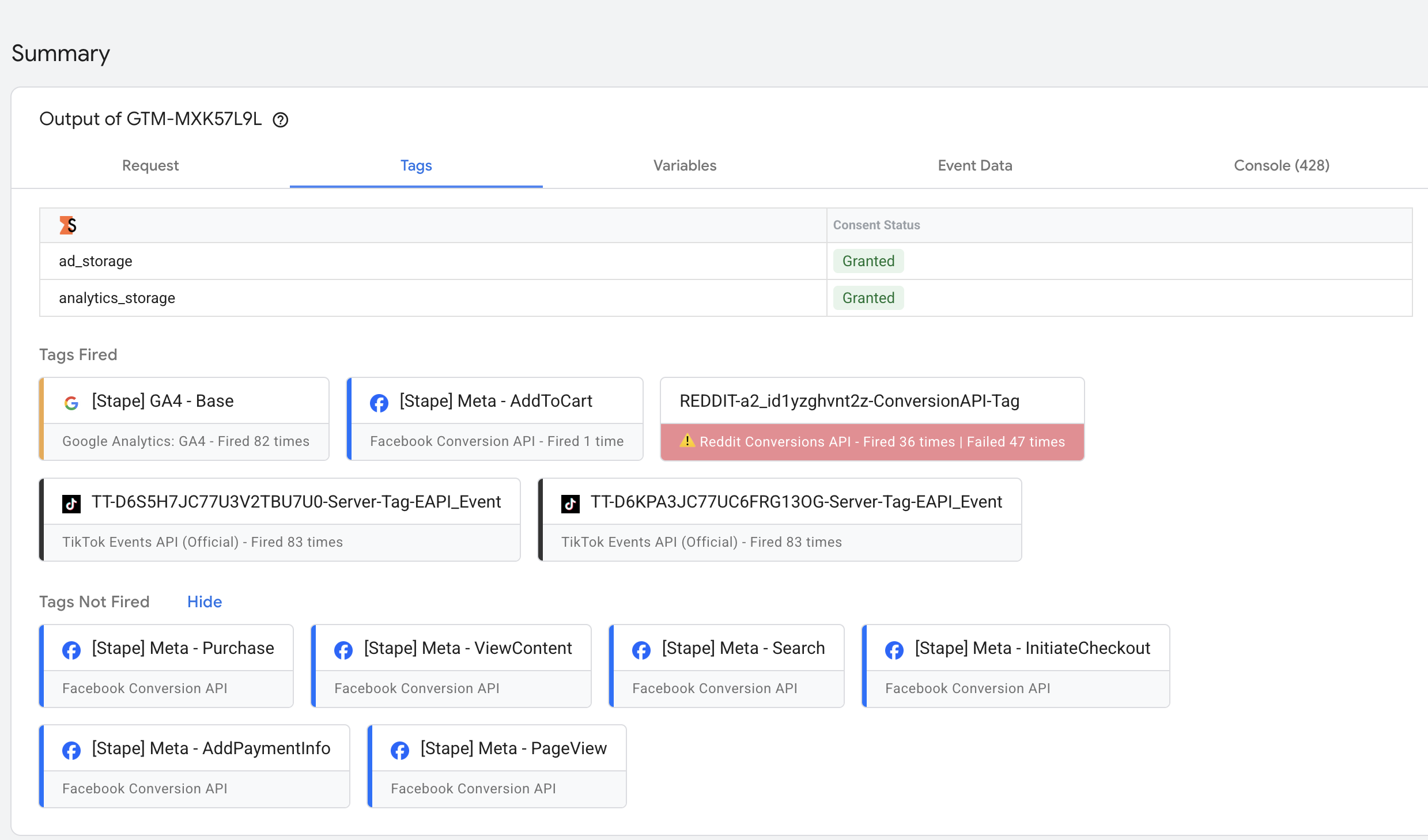
The bigger issue is in your second screenshot: Reddit CAPI failed 47 times vs 36 successful fires. If you’re running Reddit ads, that’s probably a more urgent tracking problem than the Meta EMQ score.
I’d open the server container console/logs and check the Reddit responses. 400 usually points to an invalid request or missing/invalid payload field. 401 usually points to auth/token issues.
On the Shopify checkout events: preview mode can be misleading there because Shopify custom pixels run in a sandboxed environment, and web GTM preview often won’t show checkout events properly. I wouldn’t stop at “preview doesn’t work” though.
Place a test order, then check Stape logs directly:
-
if purchase/begin_checkout reach Stape but Meta tags don’t fire, it’s probably a server-side trigger or event-name mismatch
-
if they don’t reach Stape at all, the issue is earlier, between Shopify/customer pixel/web container and the server container
That check will tell you pretty quickly whether this is just a preview limitation or a real production tracking gap.
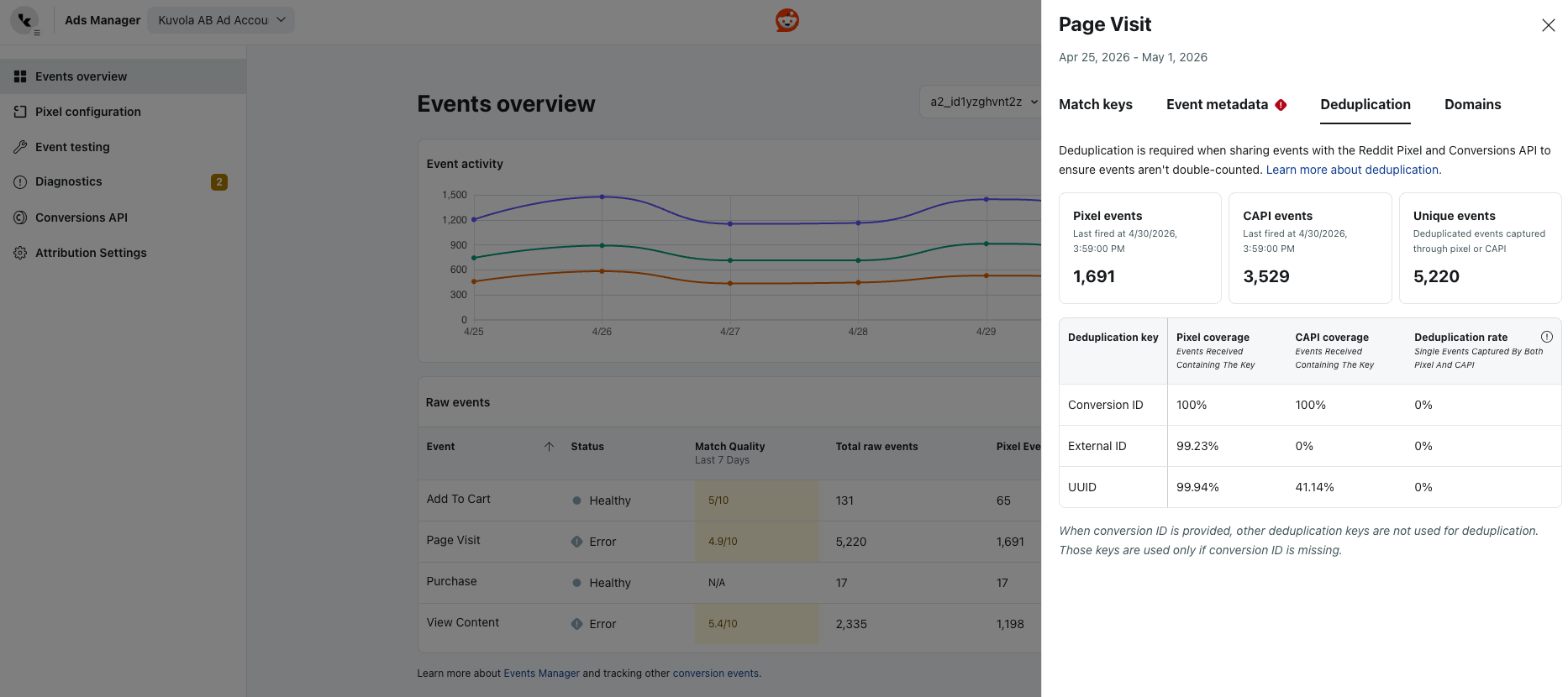
Regarding Reddit. It appears that you are not passing the same event ID from the web tag to the server-side event, so they are not being deduplicated.
Please use the ‘Unique Event ID’ variable with web tags and retrieve the ID from the event data on the server to pass it along with the event.
FB: Usually, any platform processes data over 24 hours, so this may affect the display.
Test your purchase events in the preview and ensure they are sent to the destination with all the necessary parameters. It may be the case that the server-side tag fired, but the hit was not sent to the destination because a required parameter is missing. You can check this in the preview.
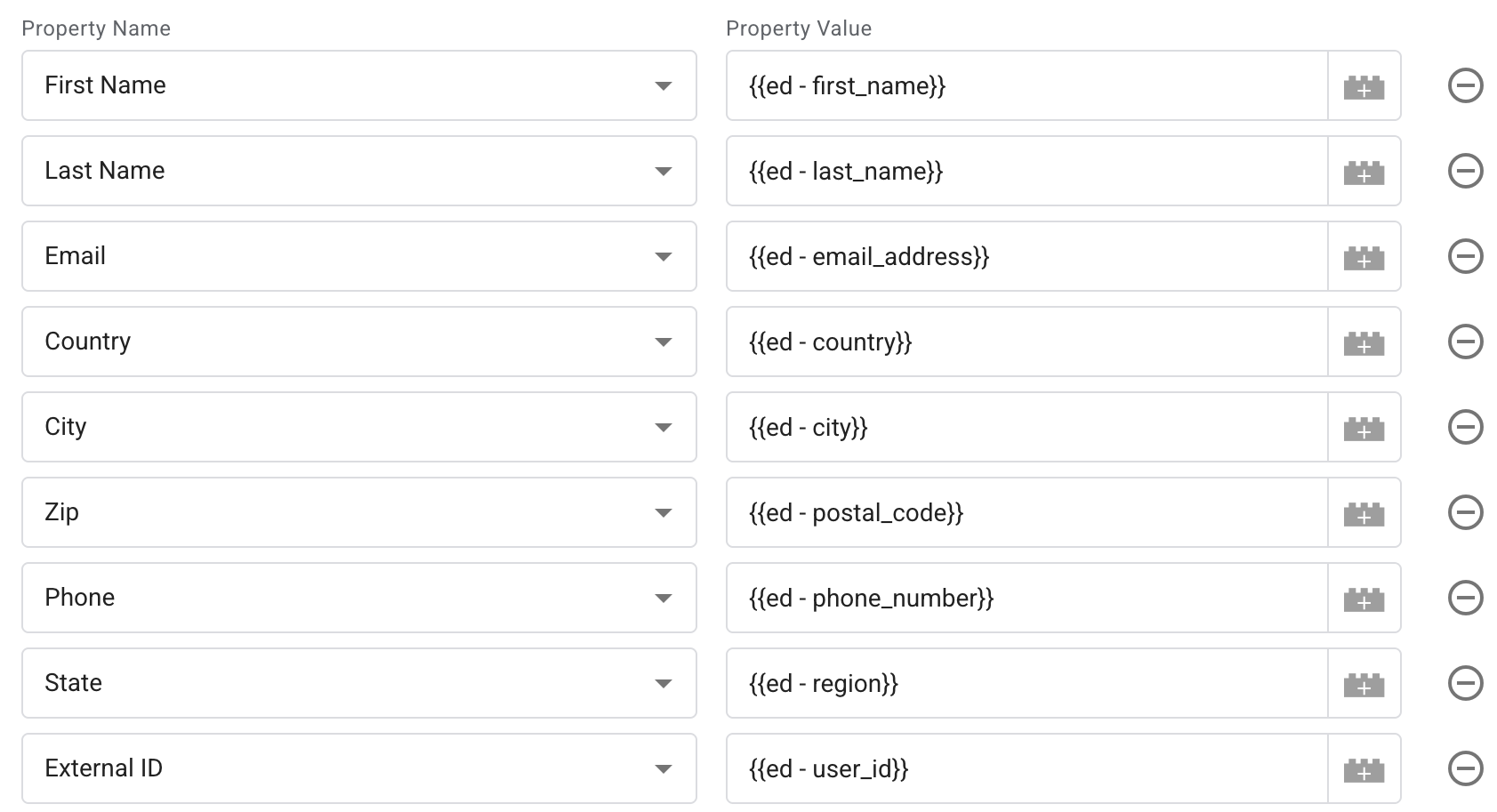
phone number missing
Firstly, make sure that the phone is present in the event data on the server; in other words, check whether it is present when the hit reaches the server. If it is present, check the settings of the variable responsible for this parameter to ensure it is reading the event data correctly.
If not, make sure the phone is present in the web data layer when the event is triggered and that it is being sent correctly to the server via the web tag. Follow the same steps: check for its presence; if it is there, check the settings of the variable responsible for it.
To do this, you need to run a preview and trigger the required event.
The fact that the parameter is present in the tag does not mean that it will be passed if it is missing in the event data.