When a user updates the consent, two things happen automatically triggered by the Google Tag.
user_engagement event is triggered with the updated consent state
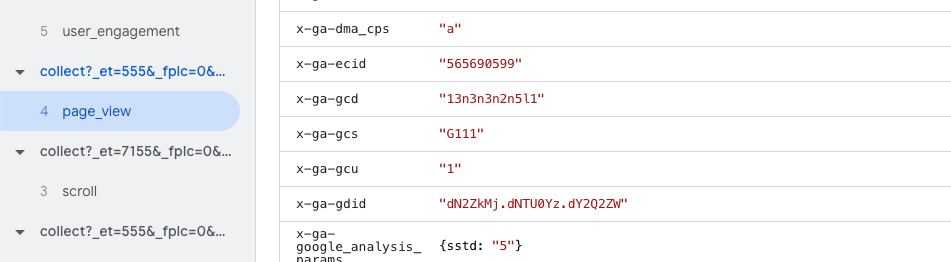
automatic page_view is triggered, which is not seen in the datlayer and on client-side tag assistant, but it’s seen on serverGTM preview. This page_view has an additional parameter gcu=1 (gcu = Google Consent Update).
This is one of the vital information for GA4 to stitch events under unconsented state with events under the consented state, and attribute it to the same session / user.
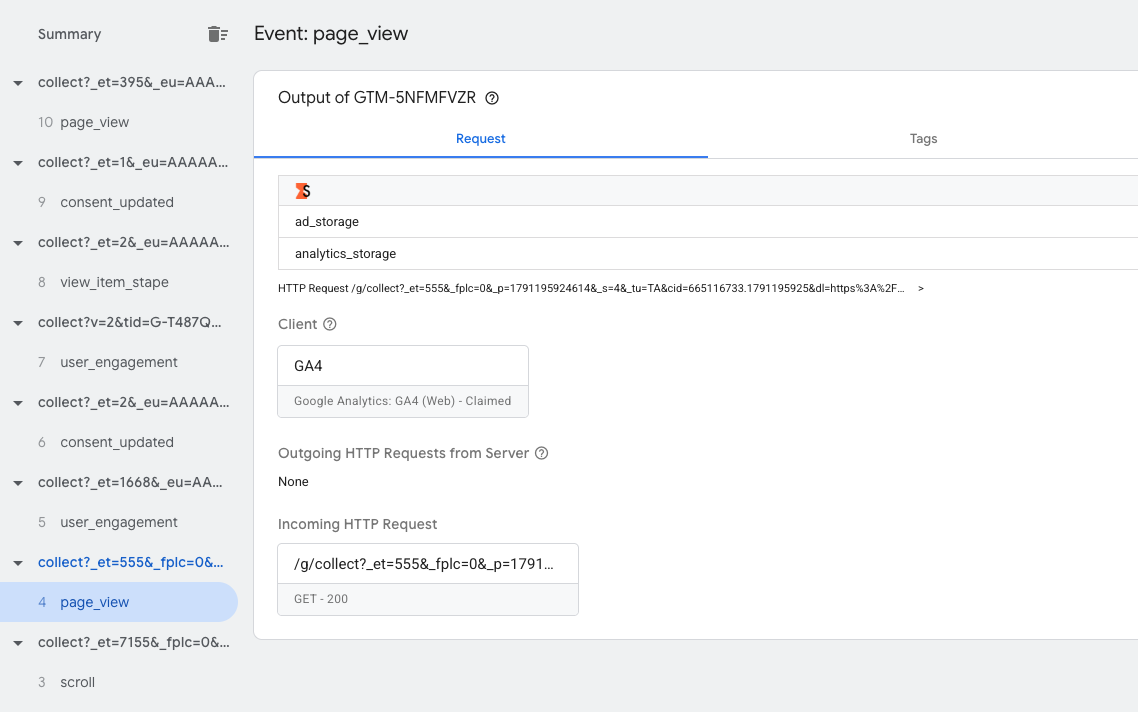
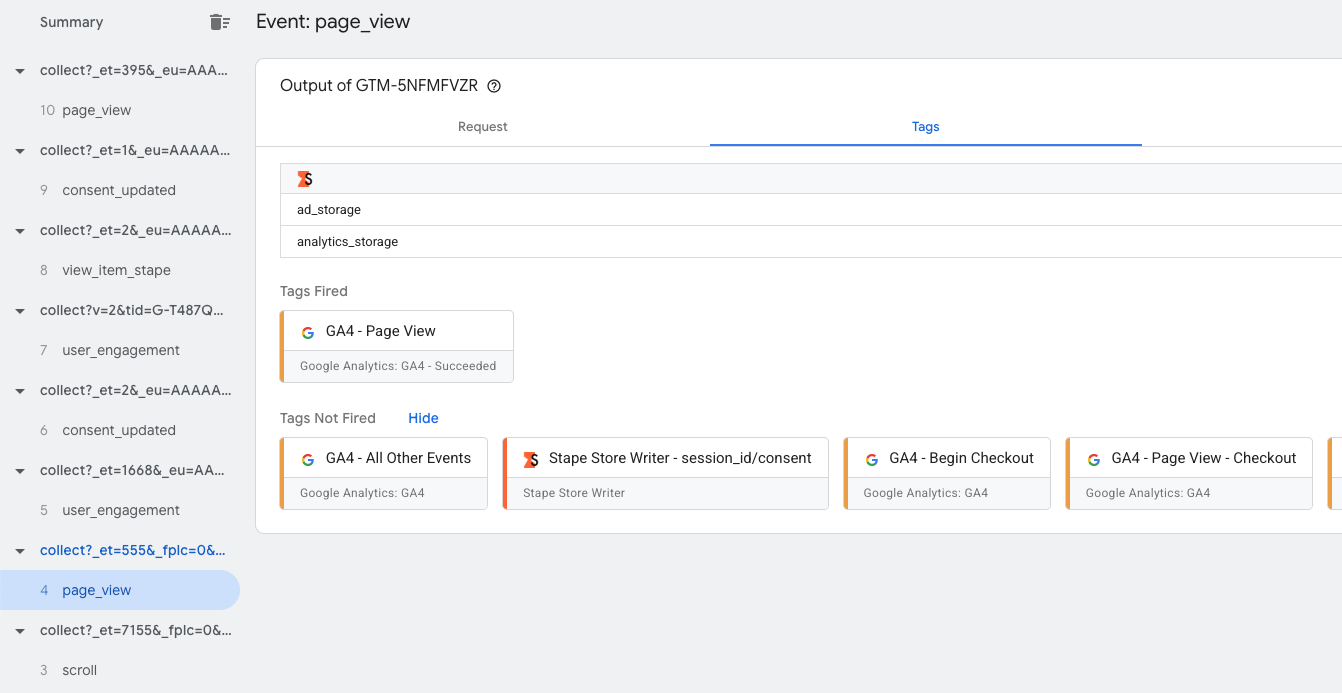
The tag succesfully fires on sGTM, but the outgoing request is missing. As if it would be ignored by the sGTM.
It’s messing with the Unassigned traffic, and this is a possible reason why.
My question: Why are there no requests, even though the tag fires succesfully? Is this on purpose?
I don’t want this to go into an Unassigned traffic troubleshooting discussion, or into what GA4 really need or not. I’m just looking for a way to send this information to GA4, which I can’t for some reason. Tag fires succesfully, but no outgoing requests => not the sGTM expected behavior, so let’s keep the discussion focused on this
This page_view (or any event marked as key event) again dispatched after consent is granted is just for triggering Google advertising related stuff in sGTM. The gcu parameter blocks any tag from being triggered, except Google owned tags.
No GA4 network request will be dispatched again even though the tag is seen as fired, otherwise it would count duplicate events.
I would like to add that, having checked your website, I can say with a high degree of certainty that the issue with ‘unassigned traffic’ is caused by an incorrect configuration of Consent Mode.
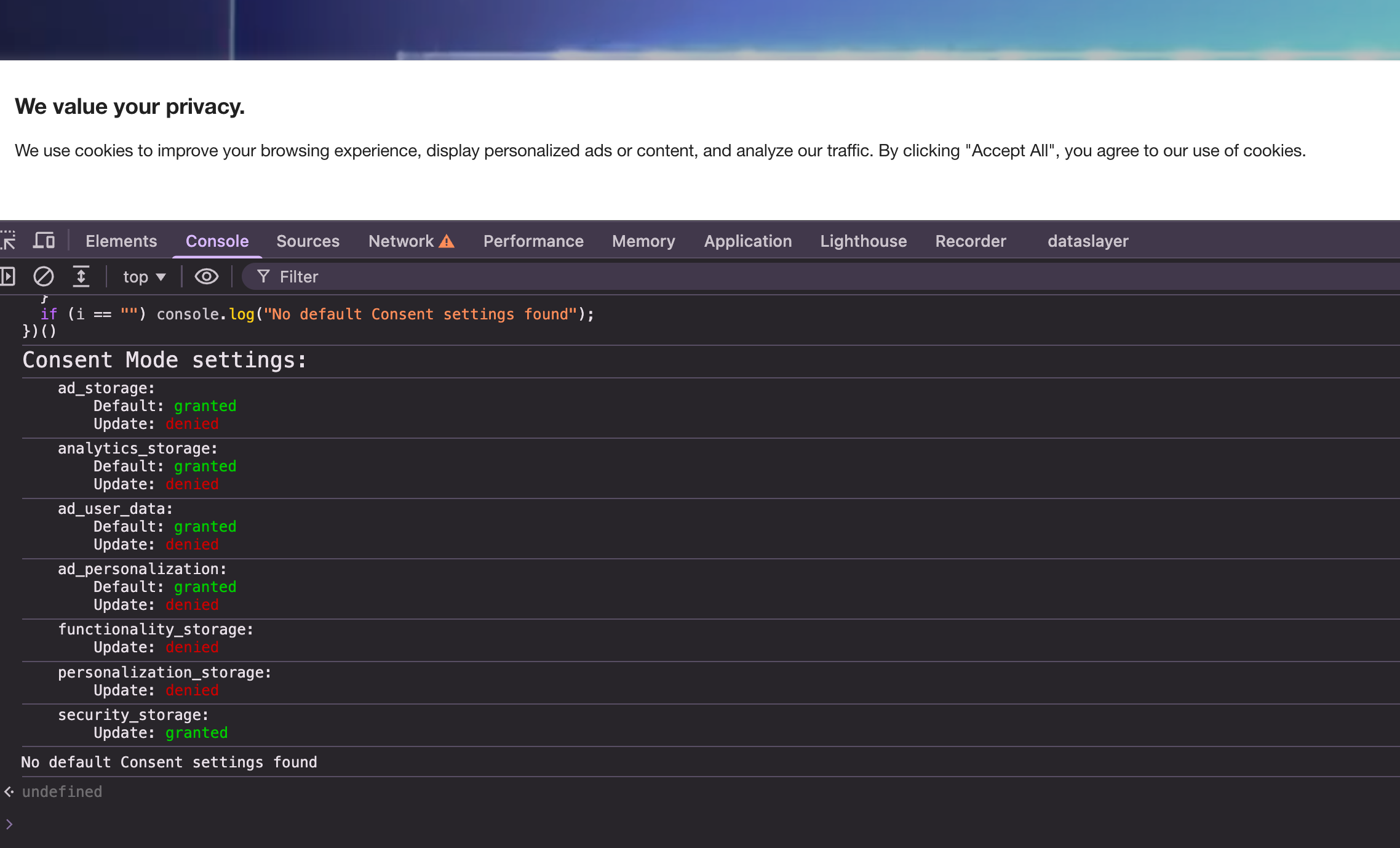
It appears that the default consent status is initialised as ‘granted’, after which it is immediately and automatically updated to ‘denied’. This allows the gtag to load and send an initial page_view with the status gcs=G111 (consent granted), as well as create a consent_updated event with the status gcs=G100, even though the user has not actually interacted with the banner at all.
Furthermore, these first two requests receive different Client IDs (cid), and upon a subsequent click on the banner (‘Accept’), the cid will change again. As a result, GA4 treats this as interactions from three different users.
The main cause of the problem is a race condition. The outcome depends on which loads first — the automatic page_view from gtag or the banner script setting the consent status to denied.
To fix this you need to adjust the banner/script settings so that the default consent status is always ‘denied’ before the Google Tag / GTM loads, and the ‘consent_updated’ event with the ‘granted’ status is only triggered after the user has actually interacted with the banner and accepted .
which website are you referring to, as I havent’ provided any website details, so I’m not sure if you’re looking at the right website.
The consent is never Granted by default. Currently I’m testing CookieYes CMP on Shopify, and it doesn’t set up a denied by default. It only triggers an update, and then the consent is “no consent on default, denied on update”. CookieYes triggers cookie_consent_update event on every page.
I did have a few scripts set up with the native Shopify CMP, where I set denied by default, and then when a user interacted with the CMP, it triggered an update (unlike CookieYes which triggers the update even before that). The unassigned traffic was stil there.
Session ID is preserved, Client_id is ephermal before consent, and resolved after the consent, and the event after the consent has a parameter with the temporary ephermal client_id, to match it.
But, like I said, I don’t want to go into too much details on the Unassigne traffic, because I tested about 10 different consent setups, also with correctly assigning default and update states.
@giovaniortolani thanks! I’ll look into that. I wasn’t aware that this
@Gasper_Cerar
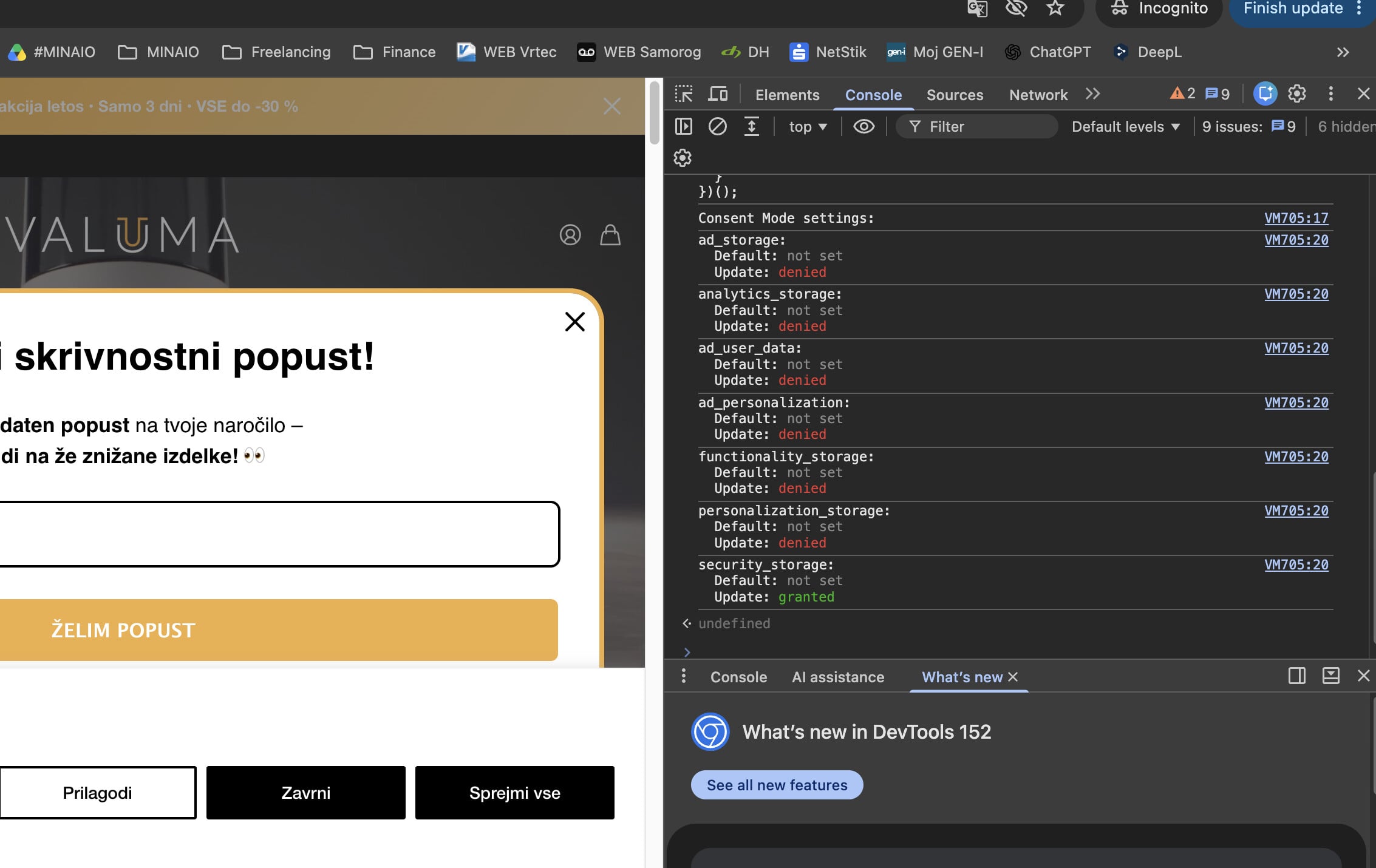
I checked https://www.valuma.si/ website. I found it by the server GTM ID from the screenshot.
In my screenshot, you can see the state of the consent mode when visiting the website for the first time.
Default state: “not set” is also not great.
So you have not set default state and after banner is loaded you have an update consent event to denied and we get back to race condition.
Yes, I’m aware of that. I did this fix on my previous consent tests with Shopify native CMP, adding a few scripts, but CookieYes seems to operate in this way as well. I’ll need to set default based on the cookie I guess.
I’ll try to solve this with CookieYes again and see if that makes any difference.